Get a Negation of a Boolean in Python

There are various types of built-in data types in Python; one is the boolean data type. The boolean data type is a built-in data type used to define true and false values of the expressions with the keywords True and False .
There are many cases while dealing with boolean operators or boolean sets/arrays in Python, where there is a need to negate the boolean value and get the opposite of the boolean value.
This tutorial will demonstrate different ways to negate a Boolean value in Python.
Use the not Operator to Negate a Boolean in Python
The not operator in Python helps return the negative or the opposite value of a given boolean value. This operator is used by placing the not operator as a prefix of a given boolean expression. Check the example below.
Here, the bool() function is used. It returns the boolean value, True or False , of a given variable in Python. The boolean values of the numbers 0 and 1 are set to False and True as default in Python.
So, using the not operator on 1 returns False , i.e., 0 . Also, note that the not operator can be used in the print statement itself.
Use the operator.not_() Function From the operator Module to Negate a Boolean in Python
The operator module in Python is used to provide various functions that are related to intrinsic operators of Python.
The operator.not_() function takes a boolean value as its argument and returns the opposite of that value. Take a look at the example here.
This function is also used to negate booleans values stored in a list or an array.
In the example above, the map() function is also used. This process is used to perform an operation or apply a function to all the items of a defined iterator, such as a list, a tuple, or a dictionary.
Use the
Operator to Negate Boolean Values of a NumPy Array in Python
A NumPy array is a list of values of the same type with pre-defined index values. The shape of the NumPy array is defined by a tuple of integers that gives the size of the array.
operator is also called the tilde operator. This operator is the bitwise negation operator that takes a number as a binary number and converts all the bits to their opposite values.
For example, 0 to 1 and 1 to 0 . In Python, 1 denotes True , and 0 denotes False . So, the tilde operator converts True to False and vice-versa. Here’s an example to demonstrate this process.
Use the bitwise_not() Function From the NumPy Library to Negate a Boolean Value
The bitwise_not() function helps in assigning a bitwise NOT operation to an element or an array of elements.
Here, a NumPy array is used, but a single boolean value can also be stored in the input variable.
Use the invert() Function From the NumPy Library to Negate a Boolean Value in Python
The invert() function helps in the bitwise inversion of an element or an array of elements. This function also returns the bitwise NOT operation.
Use the logical_not() Function From the NumPy Library to Negate a Boolean Value in Python
The logical_not() function of the NumPy library basically returns the True value of the NOT value of an element or an array of elements(element-wise).
Is it Possible to Negate a Boolean in Python? [Answered]
Before letting you know about the exact answer of Is it Possible to Negate a Boolean in Python? You must know what is the meaning of negating (negate) in layman’s language. So, as you may already know that a Boolean Expression consists of two values True and False. By, negating a boolean expression in Python means that the True value will become False and the False value will become True.
Therefore, we can conclude that negating a Boolean expression or a value in Python meaning to evaluate the exact opposite of the returned Boolean value. Now, I am assuming that you get a clear cut idea about what is negating a Boolean expression in Python. So, let’s move to our question which is, Is it Possible to Negate a Boolean in Python? in the next section.
Is it Possible to Negate a Boolean in Python?
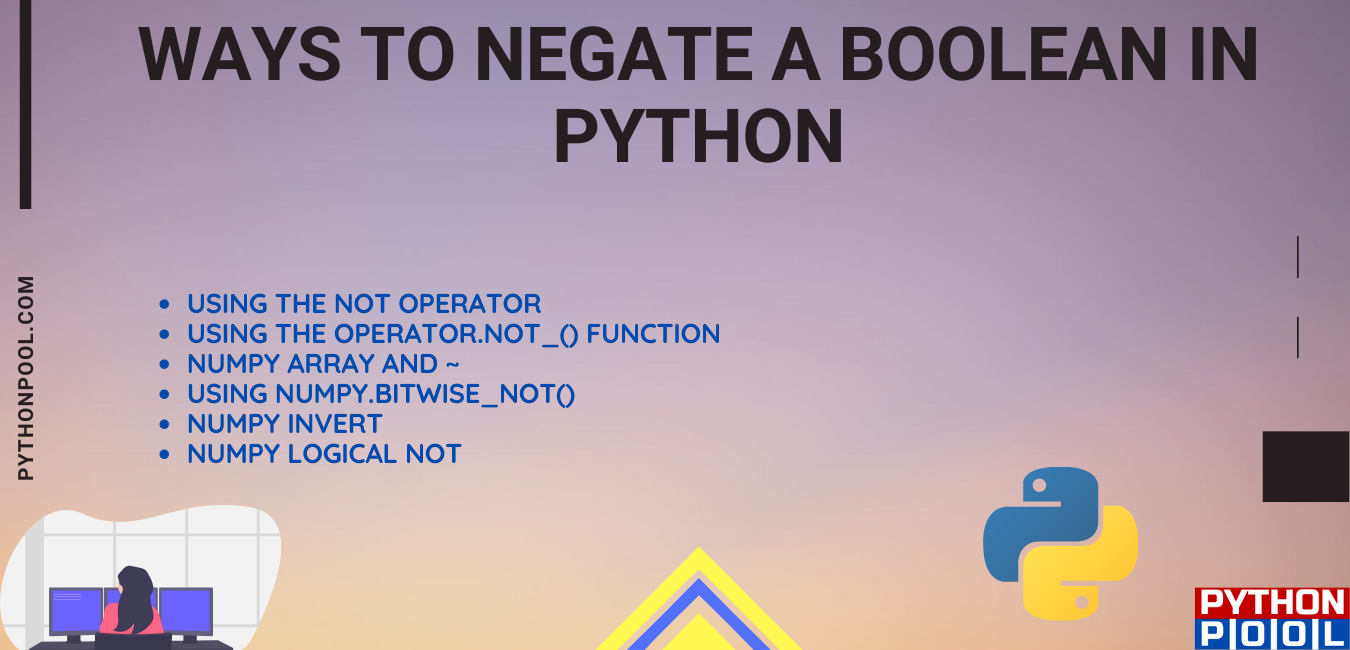
The short answer is Yes, it possible to negate a Boolean in Python. The best thing about the python programming language is there are several ways to achieve the same goal, and all of them are quite easy and to the point. There are basically six ways to negate a Boolean in Python. Let’s dig a little more and see what these methods are and how you can use them in the best possible way.
Ways to Negate a Boolean in Python
- Using the not operator
- Using the operator.not_() function
- Numpy array and
Consequently now we will jump directly to perceive the working and examples of the above five methods to negate a Boolean.
Negating a Boolean in Python Using the not Operator
If you don’t know about not keyword, let me explain that the not keyword is a logical operator in Python. The specialty of not operator is it returns the opposite value of the statement. Meaning the not operator’s return value will be True if the statements are not True; otherwise, it will return False.
Let’s see the working with an example.
Example Using not operator:
Output:
The above example is straight-forward to negate a value or expression. As you can see we have assigned True to a variable value. After that we printed it and our output is True as expected. But at the next line we used not operator too inside the print function. So, this time we get the output as False. Hence we have successfully negated a Boolean expression with the help of not operator in Python.
Using the operator.not_() Function to Negate a Boolean Expression in Python
We can also negate the Boolean expression using a function named operator.not_(). This function is a library function that is present in the operator module in python. To use the operator.not_() method in our code snippet, we need to import the operator module in our program. It is similar to the not operator, which we already covered in the above section. This method can be really beneficial when a function is needed instead of a keyword. It can also be used quite efficiently with higher-order functions such as map or filter .
Output:
In the above example, we have observed that we can easily negate a Boolean expression in Python using the operator.not_() method. This method’s return type is bool; it returns True if the value is zero or false; otherwise, it returns False.
Note: We need to import the operator module to use this function.
Numpy Array and
to Negate Boolean in Python
By using the numpy array library and the bitwise operator ‘
’ pronounced as a tilde. We can easily negate a Boolean value in Python. The tilde operator takes a one-bit operand and returns its complement. If the operand is 1, it returns 0, and vice-versa.
Let’ see how numpy array and (
) tilde work together and negate a Boolean in Python through an example.
Note: Here 0 can be counterbalanced as False and 1 can be equalized as True.
Example Using
Bitwise operator tilde to negate a boolean
Output:
The important thing in the above example is that we need to use the
Bitwise operator with the numpy module. In the above example, we created a numpy array named (x) with boolean values True and False. Subsequently, with
Bitwise operator, we negated the boolean values in the numpy array. Hence True becomes False, and False becomes True.
Using numpy.bitwise_not() to Negate Boolean Values in Python
NumPy is a very vast and powerful module of python. It provides us with several functions and one of which is Numpy.bitwise_not(). numpy.bitwise_not() function is used to Compute the bit-wise NOT or bit-wise inversion, element-wise of two arrays element-wise. This function computes the bitwise NOT of the underlying binary representation of the input arrays.
Let’ see how numpy array and numpy.bitwise_not() works together and negate a Boolean in Python through an example.
Example Using Numpy.bitwise_not function to negate a boolean
Output:
The above example uses the numpy module. So, make sure that numpy is already installed. Here also like in the case of Bitwise tilde operator we initialized a numpy array x with two Boolean values True and False. After that with the help of the function np.bitwise_not we negated the boolean values.
Numpy invert to Negate the Boolean Value
Numpy is one of the most popular libraries in python. It can be used for scientific and numeric computing that lets you work with multi-dimensional arrays far more efficiently. The numpy arrays are densely packed arrays of homogeneous type.
Numpy.invert() function is utilized to interrogate the bit-wise Inversion of an array element-wise. It calculates the bit-wise NOT of the underlying binary representation of the Boolean from the input arrays.
Let’ see how numpy array and numpy.invert works together and negate a Boolean in Python through an example.
Example Using Numpy invert
Output:
Using Numpy Logical Not
Coming to our last way to negate a Boolean, we have Numpy Logical Not. Th Numpy logical Not computes the truth value of NOT x element-wise. The logical Not operator returns an array with Boolean results of NOT element-wise.
Let’ see how numpy array and numpy logical not works together and negate a Boolean in Python through an example.
Example Using Numpy Logical Not
Output:
Conclusion
In conclusion, I can say I have tried to blend all the six ways to Negate a Boolean in Python. The best way to negate depends upon the requirement of the user or the program. If you are using the Numpy module, then you have four ways. And if you don’t want to use numpy, you can still use the two available methods. In the future, if I find more ways, I will update this article asap.
However, if you have any doubts or questions, do let me know in the comment section below. I will try to help you as soon as possible.
Python: Отрицание
Наряду с логическими операторами И и ИЛИ, часто используется операция «отрицание». Она меняет логическое значение на противоположное. В программировании отрицанию соответствует унарный оператор not :
Например, если есть функция, которая проверяет четность числа, то с помощью отрицания можно выполнить проверку нечетности:
В примере выше мы добавили not слева от вызова функции и получили обратное действие.
Отрицание — инструмент, с которым можно выражать задуманные правила в коде и не писать новые функции.
Если написать not not is_even(10) , то код сработает даже в таком случае:
В логике двойное отрицание — это отсутствие отрицания:
Теперь вы знаете, что означают операторы И, ИЛИ и not . С их помощью вы сможете задавать составные условия из двух и более логических выражений.
Задание
В этом уроке вам нужно будет реализовать две функции is_palindrome() и is_not_palindrome()
Реализуйте функцию is_palindrome() , которая определяет, является ли слово палиндромом или нет. Палиндром — это слово, которое читается одинаково в обоих направлениях. Слова в функцию могут быть переданы в любом регистре, поэтому сначала нужно привести слово к нижнему регистру: word.lower() .
Реализуйте функцию is_not_palindrome() , которая проверяет что слово НЕ является палиндромом:
Для этого, вызовите функцию is_palindrome() внутри is_not_palindrome() и примените отрицание.
Если вы зашли в тупик, то самое время задать вопрос в «Обсуждениях». Как правильно задать вопрос:
- Обязательно приложите вывод тестов, без него практически невозможно понять что не так, даже если вы покажете свой код. Программисты плохо исполняют код в голове, но по полученной ошибке почти всегда понятно, куда смотреть.
Тесты устроены таким образом, что они проверяют решение разными способами и на разных данных. Часто решение работает с одними входными данными, но не работает с другими. Чтобы разобраться с этим моментом, изучите вкладку «Тесты» и внимательно посмотрите на вывод ошибок, в котором есть подсказки.
Это нормально ��, в программировании одну задачу можно выполнить множеством способов. Если ваш код прошел проверку, то он соответствует условиям задачи.
В редких случаях бывает, что решение подогнано под тесты, но это видно сразу.
Создавать обучающие материалы, понятные для всех без исключения, довольно сложно. Мы очень стараемся, но всегда есть что улучшать. Если вы встретили материал, который вам непонятен, опишите проблему в «Обсуждениях». Идеально, если вы сформулируете непонятные моменты в виде вопросов. Обычно нам нужно несколько дней для внесения правок.
Кстати, вы тоже можете участвовать в улучшении курсов: внизу есть ссылка на исходный код уроков, который можно править прямо из браузера.
Полезное
Определения
Отрицание — логическая операция, которая меняет логическое значение на противоположное.
Можно ли отрицать логическое значение в Python? [Ответ]
Существует в основном шесть способов отрицания логического значения в Python. Давайте подробно рассмотрим эти методы и то, как вы можете использовать их наилучшим образом.
- Автор записи
Можно ли отрицать логическое значение в Python? [Ответ]
Прежде чем сообщить вам о точном ответе, можно ли отрицать логическое значение в Python? Вы должны знать, что означает отрицание (negate) на языке непрофессионала. Итак, как вы уже знаете, логическое выражение состоит из двух значений True и False. Отрицание логического выражения в Python означает, что Истинное значение станет Ложным, а Ложное значение станет Истинным.
Таким образом, мы можем сделать вывод, что отрицание логического выражения или значения в Python означает оценку, прямо противоположную возвращаемому логическому значению. Теперь я предполагаю, что вы получаете четкое представление о том, что отрицает логическое выражение в Python. Итак, давайте перейдем к нашему вопросу, который заключается в том, можно ли отрицать логическое значение в Python? в следующем разделе.
Можно ли отрицать логическое значение в Python?
Короткий ответ-Да, можно отрицать логическое значение в Python. Самое лучшее в языке программирования python-это то, что существует несколько способов достижения одной и той же цели, и все они довольно просты и точны. Существует в основном шесть способов отрицать логическое значение в Python. Давайте копнем еще немного и посмотрим, что это за методы и как вы можете использовать их наилучшим образом.
Способы отрицания логического значения в Python
- Использование оператора not
- Использование функции operator.not_()
- Массив Numpy и
Следовательно, теперь мы перейдем непосредственно к восприятию работы и примеров вышеприведенных пяти методов отрицания булева.
Отрицание логического значения в Python С помощью оператора not
Если вы не знаете о ключевом слове not, позвольте мне объяснить, что ключевое слово not является логическим оператором в Python. Особенность оператора not заключается в том, что он возвращает противоположное значение оператора. Это означает, что возвращаемое значение оператора not будет Истинным, если операторы не являются True; в противном случае он вернет False.
Давайте рассмотрим работу на примере.
Пример Использования оператора not:
Выход:
Приведенный выше пример прямолинейен для отрицания значения или выражения. Как видите, мы присвоили переменной значение True. После этого мы напечатали его, и наш вывод будет True, как и ожидалось. Но в следующей строке мы тоже использовали оператор not внутри функции print. Итак, на этот раз мы получаем вывод как False. Следовательно, мы успешно отрицаем логическое выражение с помощью оператора not в Python.
Использование функции operator.not_() для отрицания логического выражения в Python
Мы также можем отрицать логическое выражение, используя функцию с именем operator.not_(). Эта функция является библиотечной функцией, которая присутствует в модуле оператора в python. Чтобы использовать метод operator.not_() в нашем фрагменте кода, нам нужно импортировать модуль оператора в нашу программу. Он похож на оператор not, который мы уже рассматривали в предыдущем разделе. Этот метод может быть действительно полезен, когда вместо ключевого слова нужна функция. Он также может быть довольно эффективно использован с функциями более высокого порядка, такими как map или filter .
Выход:
В приведенном выше примере мы заметили, что мы можем легко отрицать логическое выражение в Python с помощью метода operator.not_ (). Тип возвращаемого значения этого метода – bool; он возвращает True, если значение равно нулю или false; в противном случае он возвращает False.
Примечание: Нам нужно импортировать модуль оператора, чтобы использовать эту функцию.
Массив Numpy и
для отрицания логического значения в Python
Используя библиотеку массивов numpy и побитовый оператор ‘
’, произносимый как тильда. Мы можем легко отрицать логическое значение в Python. Оператор тильды принимает однобитный операнд и возвращает его дополнение. Если операнд равен 1, он возвращает 0, и наоборот.
Давайте посмотрим, как numpy array и (
) tilde работают вместе и отрицают логическое значение в Python на примере.
Примечание: Здесь 0 может быть уравновешено как False , а 1 может быть уравновешено как True.
Пример Использования побитовой тильды оператора
для отрицания логического значения
Выход:
В приведенном выше примере важно то, что нам нужно использовать побитовый оператор
с модулем numpy. В приведенном выше примере мы создали массив numpy с именем (x) с логическими значениями True и False. Впоследствии с помощью побитового оператора
мы отрицали логические значения в массиве numpy. Поэтому Истинное становится Ложным, а Ложное-Истинным.
Использование numpy.bitwise_not() для отрицания логических значений в Python
NumPy-это очень обширный и мощный модуль python. Он предоставляет нам несколько функций, одной из которых является Numpy.bitwise_not(). функция < strong>numpy.bitwise_not() используется для вычисления битовой NOT или битовой инверсии, поэлементной из двух массивов по элементам. Эта функция вычисляет побитовое NOT базового двоичного представления входных массивов.
Давайте посмотрим, как numpy array и numpy.bitwise_not() работают вместе и отрицают логическое значение в Python на примере.
Пример использования функции Numpy.bitwise_not для отрицания логического значения
Выход:
В приведенном выше примере используется модуль numpy. Итак, убедитесь, что numpy уже установлен. Здесь также, как и в случае побитового оператора tilde, мы инициализировали массив numpy x с двумя булевыми значениями True и False. После этого с помощью функции np.bitwise_not мы отрицали булевы значения.
Numpy invert для отрицания логического значения
Numpy-одна из самых популярных библиотек в python. Он может быть использован для научных и числовых вычислений, что позволяет гораздо эффективнее работать с многомерными массивами. Массивы numpy – это плотно упакованные массивы href=”https://en.wikipedia.org/wiki/Homogeneous_function”>однородный тип. href=”https://en.wikipedia.org/wiki/Homogeneous_function”>однородный тип.
Функция Numpy.invert() используется для опроса битовой инверсии массива по элементам. Он вычисляет побитовое НЕ лежащее в основе двоичного представления логического значения из входных массивов.
Давайте посмотрим, как numpy array и numpy.invert работают вместе и отрицают логическое значение в Python на примере.
Пример Использования Numpy invert
Выход:
Использование Numpy Logical Not
Подходя к нашему последнему способу отрицания логического значения, мы имеем Numpy Logical Not. Th Numpy logical Not вычисляет значение истинности NOT x по элементам. Логический оператор Not возвращает массив с логическими результатами NOT по элементам.
Давайте посмотрим, как numpy array и numpy logical not работают вместе и отрицают логическое значение в Python на примере.
Пример Использования Numpy Logical Not
Выход:
Вывод
В заключение я могу сказать, что я попытался смешать все шесть способов отрицания логического значения в Python. Лучший способ отрицания зависит от требований пользователя или программы. Если вы используете модуль Numpy, то у вас есть четыре способа. И если вы не хотите использовать numpy, вы все равно можете использовать два доступных метода. В будущем, если я найду больше способов, я обновлю эту статью как можно скорее.
Однако, если у вас есть какие-либо сомнения или вопросы, дайте мне знать в разделе комментариев ниже. Я постараюсь помочь вам как можно скорее.