HTML Space – How to Add a Non-breaking Space with the Character Entity

Kolade Chris

In HTML, you can’t create an extra blank space after the space ( ) character with the spacebar. If you want 10 blank spaces in your HTML code and you try to add them with the spacebar, you’ll only see one space in the browser.
Also, one or more of the words that are supposed to be together might break into a new line.
So, in this article, I will show you how to create any number of blank spaces you want in your code, and how to add a non-breaking space with the character entity.
First, What Are Character Entities?
Character entities are reserved for displaying various characters in the browser.
For instance, the less than symbol ( < ) and greater than symbol ( > ) are reserved for tags in HTML. If you want to use them in your code, HTML might mistake them for opening and closing tags.
If you want to use them as «greater than» and «less than», you need to use their respective character entities ( < and > ). Then you can safely display them in the browser.
How to Add Non-breaking Spaces in HTML with
Since the browser will display only one blank space even if you put millions in your code, HTML has the character entity. It makes it possible to display multiple blank spaces.
Without the character entity, this is how your code would look:
I have added some CSS to make the HTML clearer and to make it easier to see what I’m trying to show:
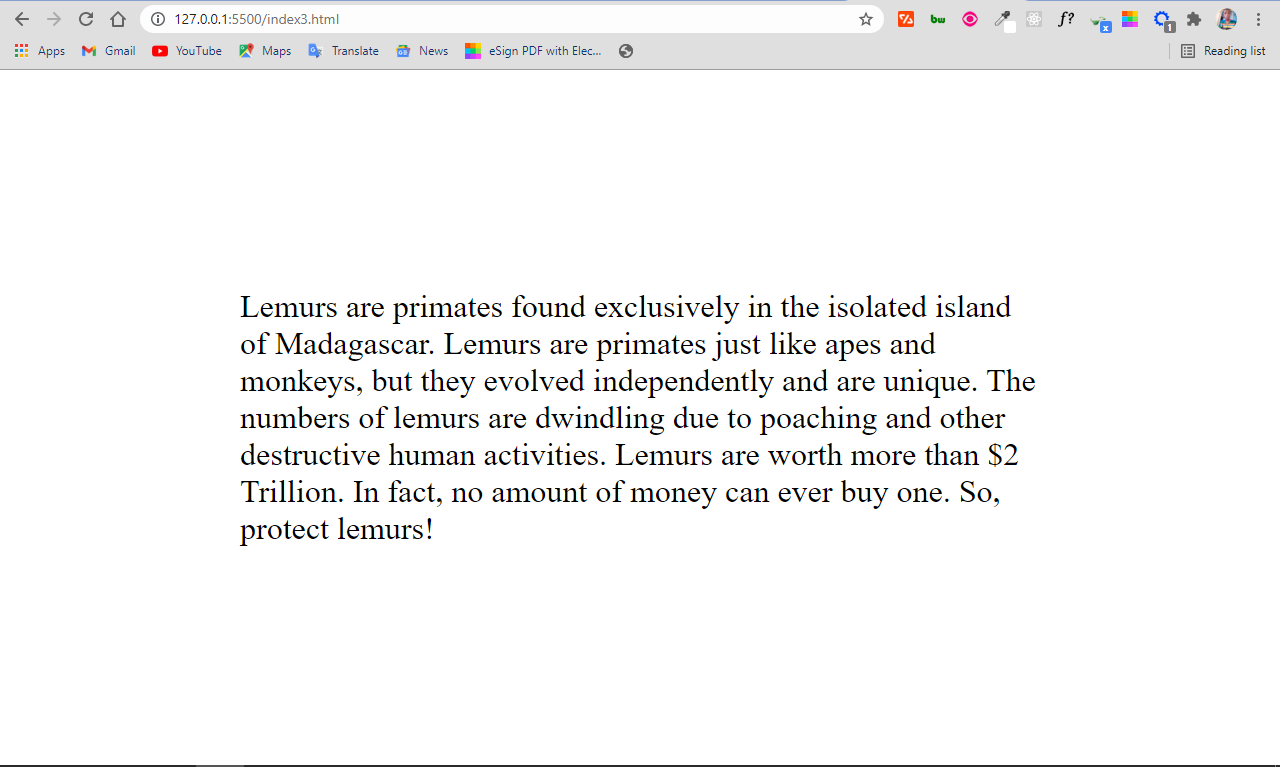
In the HTML code below, I inserted some character entities to create multiple blank spaces:
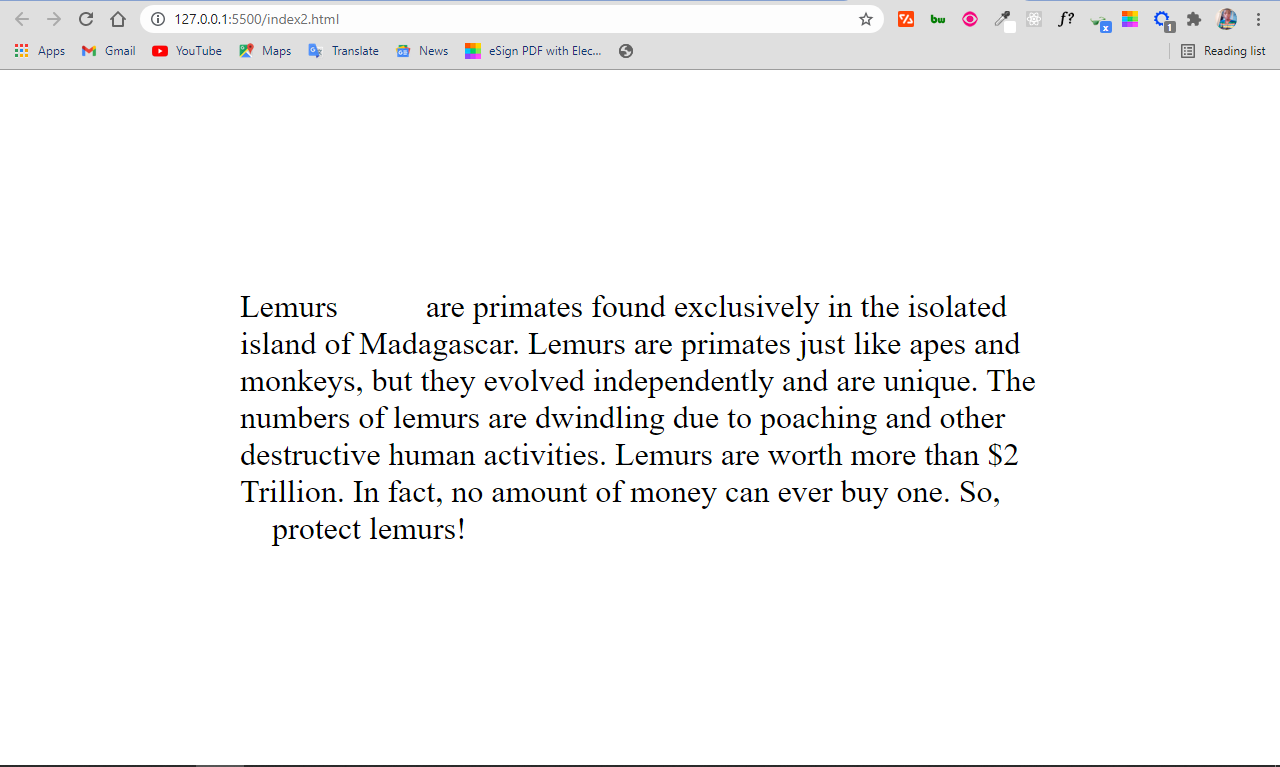
You can see there are 5 blank spaces between the first two words, and 4 between the antepenultimate and penultimate words. That’s because I inserted 5 and 4 characters, respectively.
Without the character entity, that wouldn’t be possible.
What if you want a bunch of spaces in your code?
What if, for instance, you want 10 blank spaces in your code? Writing 10 times would be redundant and boring.
Instead, HTML provides the   character entity for 2 non-breaking spaces, and   for 4 non-breaking spaces.
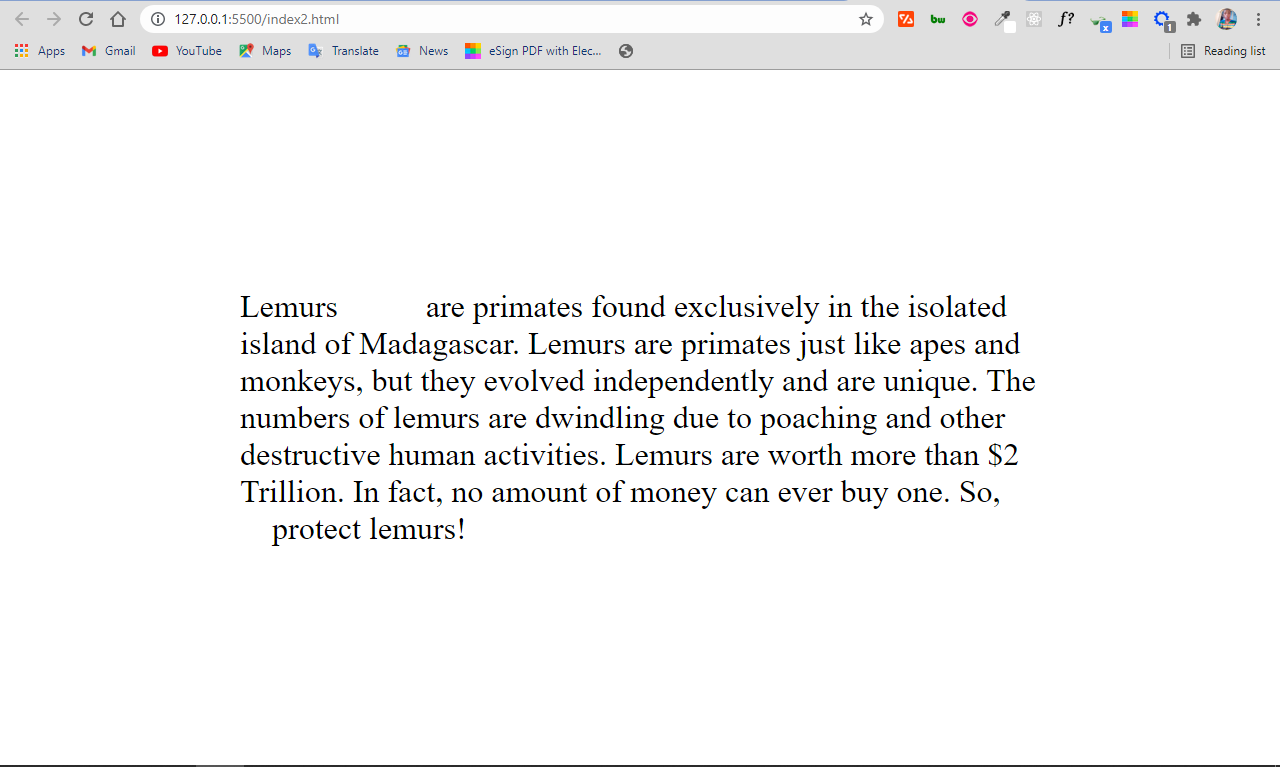
In the code above, I inserted 5 blank spaces between the first two words by using   once (4 spaces) and once (1 space). Then I used 2 &ensp entities between the antepenultimate and penultimate words. So, the number of blank spaces remain the same as in the first example:
Why would you need a non-breaking space in your code?
Sometimes, HTML might break up words that are supposed to be together into another line – for example, initials, units, dates, amount of money, and more.
The character entity prevents this from happening. When you insert the character between such words, it will render a space and will never let any of the words break into a new line.
In the HTML code below, I have some information about lemurs – the beautiful primates found in Madagascar:
I have some CSS to make it clearer and show what I’m trying to show:
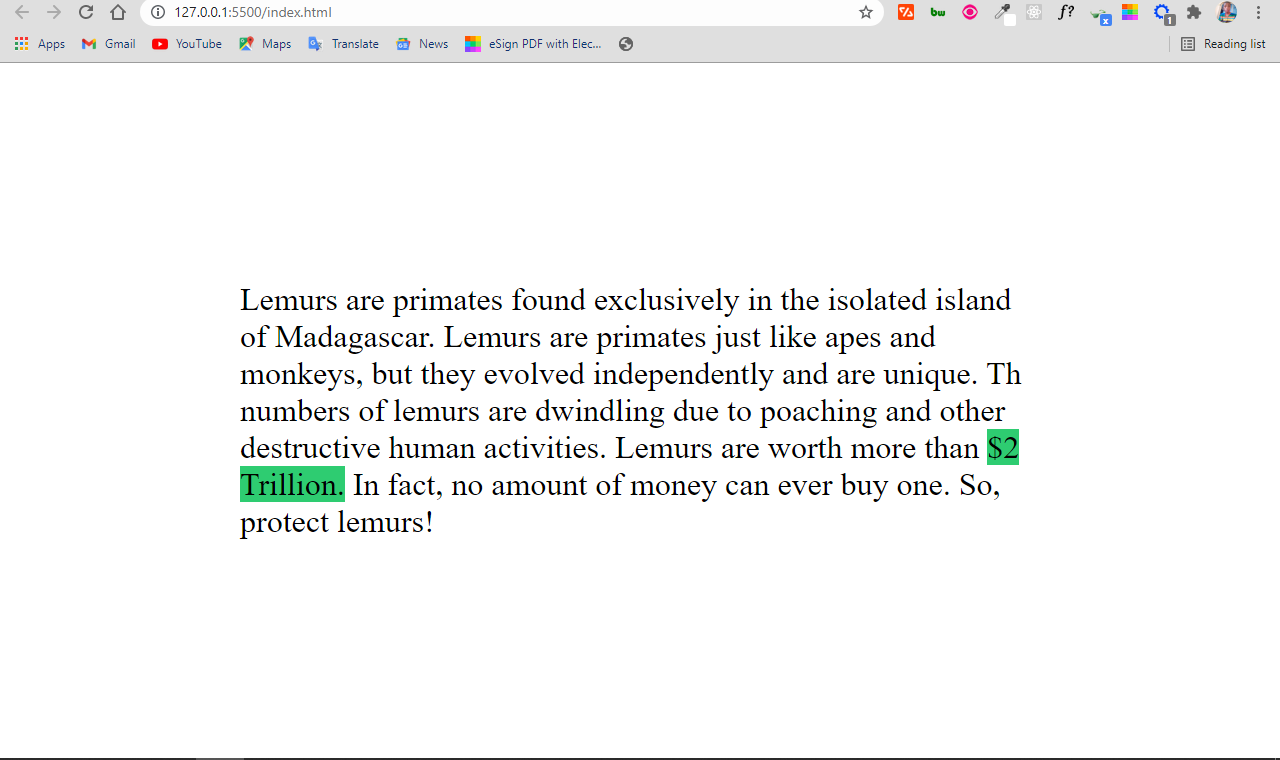
The result looks like this:
You can see that the $2 Trillion breaks, which does not look good as it might confuse the reader.
The character entity forces the two words together:
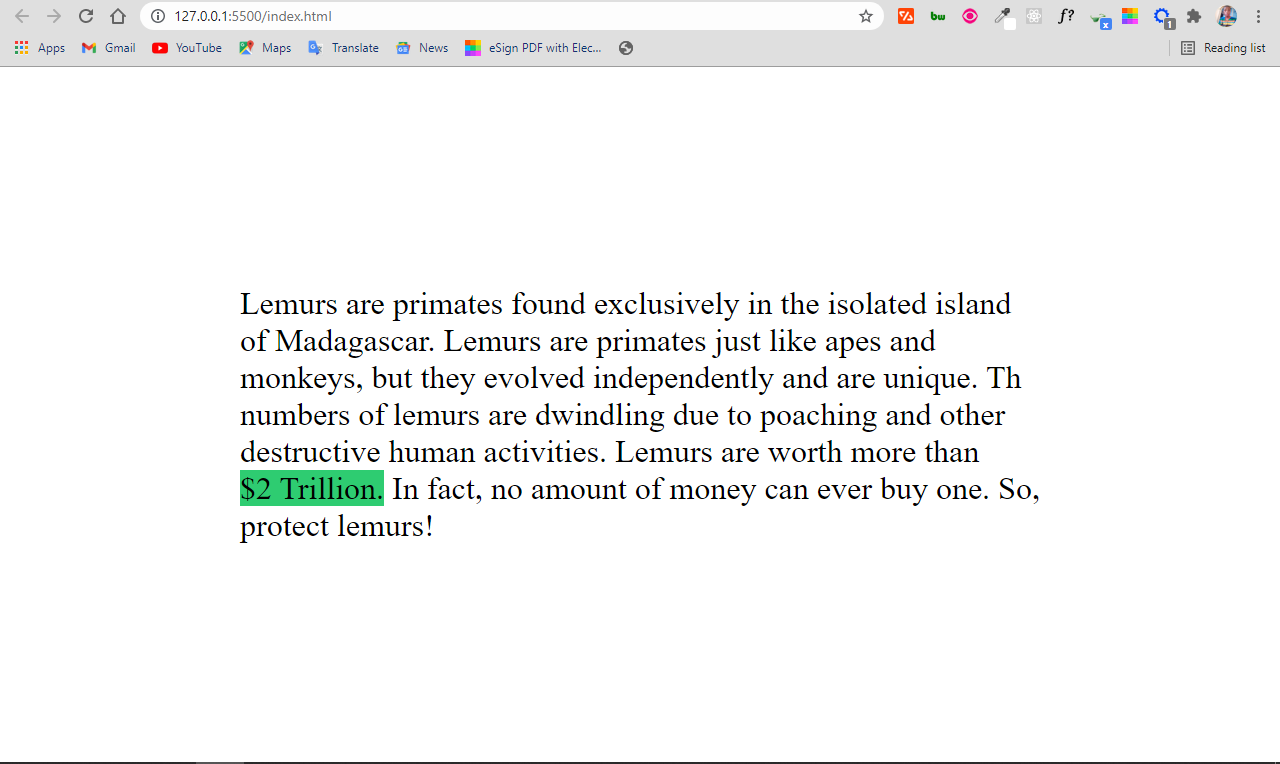
How cool is that!
Conclusion
You have seen that with the ,   , and the   character entities, you can display blank spaces in the browser. This isn’t possible just using the spacebar key.
You can also use the character entity in specific places to prevent words that should stay together from breaking into the next line.
Неразрывный пробел HTML

Приветствую вас, дорогие посетители сайта Impuls-Web!
Наверняка большинство из вас сталкивалось с таким специальным символом, как неразрывный пробел HTML ( ), но, к сожалению, большинство не знает, для чего он предназначен, и как его использовать.
Навигация по статье:
Давайте разберемся с вами, что такое неразрывный пробел HTML, и как он может быть полезен нам при верстке сайтов.
Что такое неразрывный пробел HTML?
Итак, (non-breaking space) — это специальный символ, который при отображении в браузере выглядит как обычный пробел, но имеет одну, очень важную особенность. При задании символ мы получим заданное пространство между словами, которое ни в коем случае не будет разорвано при перестроении текста.
Способы использования
Свойства данного специального символа могут быть полезны нам в двух случаях:
-
1. В случае если при верстке страницы нам необходимо предусмотреть вероятность того, что при просмотре страницы сайта на мобильных устройствах текст будет перестраиваться, и мы можем получить не желательные разрывы слов или чисел. Например:
Неразрывный пробел в HTML ( |   | u+00a0)
Неразрывный пробел отличается от обычного тем, что в месте последнего различные обработчики могут разрывать строку, а при использовании неразрывного пробела этого происходить не будет.
Обозначения
| # | Название по-русски | Название по-английски | Вид | Мнемоника | HTML-код | Unicode |
|---|---|---|---|---|---|---|
| 1 | Неразрывный пробел | No-Break Space | |   | u+00a0 |
Пример
Для примера возьмём некоторое одинаковое количество английских букв «a», разделённых в первом случае обычными пробелами, а во втором — неразрывными, и поместим их в ограниченные по ширине блоки:
Текст с неразрывными пробелами автоматически обрезается или отображается за границами блока, в зависимости от его (блока) свойств. В первом случае блоку было определено свойство overflow со значением hidden , а во втором оно было опущено, так как по умолчанию его значение установлено в visible .
HTML Entities
Reserved characters in HTML must be replaced with character entities.
HTML Entities
Some characters are reserved in HTML.
If you use the less than (<) or greater than (>) signs in your text, the browser might mix them with tags.
Character entities are used to display reserved characters in HTML.
A character entity looks like this:
&#entity_number;
To display a less than sign (<) we must write: < or <
Advantage of using an entity name: An entity name is easy to remember.
Disadvantage of using an entity name: Browsers may not support all entity names, but the support for entity numbers is good.
Non-breaking Space
A commonly used entity in HTML is the non-breaking space:
A non-breaking space is a space that will not break into a new line.
Two words separated by a non-breaking space will stick together (not break into a new line). This is handy when breaking the words might be disruptive.
- § 10
- 10 km/h
- 10 PM
Another common use of the non-breaking space is to prevent browsers from truncating spaces in HTML pages.
If you write 10 spaces in your text, the browser will remove 9 of them. To add real spaces to your text, you can use the character entity.
Tip: The non-breaking hyphen (‑) is used to define a hyphen character (‑) that does not break into a new line.
Some Useful HTML Character Entities
| Result | Description | Entity Name | Entity Number | Try it |
|---|---|---|---|---|
| non-breaking space | |   | Try it » | |
| < | less than | < | < | Try it » |
| > | greater than | > | > | Try it » |
| & | ampersand | & | & | Try it » |
| " | double quotation mark | " | " | Try it » |
| ' | single quotation mark (apostrophe) | ' | ' | Try it » |
| ¢ | cent | ¢ | ¢ | Try it » |
| £ | pound | £ | £ | Try it » |
| ¥ | yen | ¥ | ¥ | Try it » |
| € | euro | € | € | Try it » |
| © | copyright | © | © | Try it » |
| ® | registered trademark | ® | ® | Try it » |
Note: Entity names are case sensitive.
Combining Diacritical Marks
A diacritical mark is a "glyph" added to a letter.
Some diacritical marks, like grave ( ̀) and acute ( ́) are called accents.
Diacritical marks can appear both above and below a letter, inside a letter, and between two letters.
Diacritical marks can be used in combination with alphanumeric characters to produce a character that is not present in the character set (encoding) used in the page.