Lenovo ThinkPad X1 ANC Review: NEW Stylish Active Noise Cancelling Headphones
Lenovo ThinkPad X1 ANC Against Their Competitors in 2021
But how are they compared to other headphones available on the market? Let’s see what makes them so different.
5 Competing Headphones
- Can connect with two devices at once
- ENC technology for clear calls
- Broad codec support
- Solid noise-cancelling performance
- Good for bass-heavy music
- Up to 30 hours of playback
- Good sound and effective ANC
- Excellent voice call quality
- Always-on Siri for Apple devices
- Good noise cancelation at their price point
- Can be paired with 2 devices simultaneously
- Quick charging technology
- Powerful sound with a rich bass
- Great battery life for the small size
- Distinctive Marshall design
Lenovo ThinkPad X1 ANC Detailed Overview
- Can connect with two devices at once
- ENC technology for clear calls
- Broad codec support
So what makes Lenovo ThinkPad X1 ANC different in the abundance of features that come directly on the headphones.
The Lenovo ThinkPad X1 ANC headphones are an unexpected, but quite attractive representative of the Lenovo ThinkPad X1 range, which is associated primarily with business class laptops. The headphones combine reliable, convenient layout, pleasant design, good active noise cancellation system and excellent autonomy. Lenovo ThinkPad X1 ANC sounds at the level of popular brands: the average user will like it, more demanding music fans should choose from the competitors below. Possibility to connect to two devices, support for most current codecs, including aptX and optional wired connection to PC are among useful bonuses.
What’s in the box?
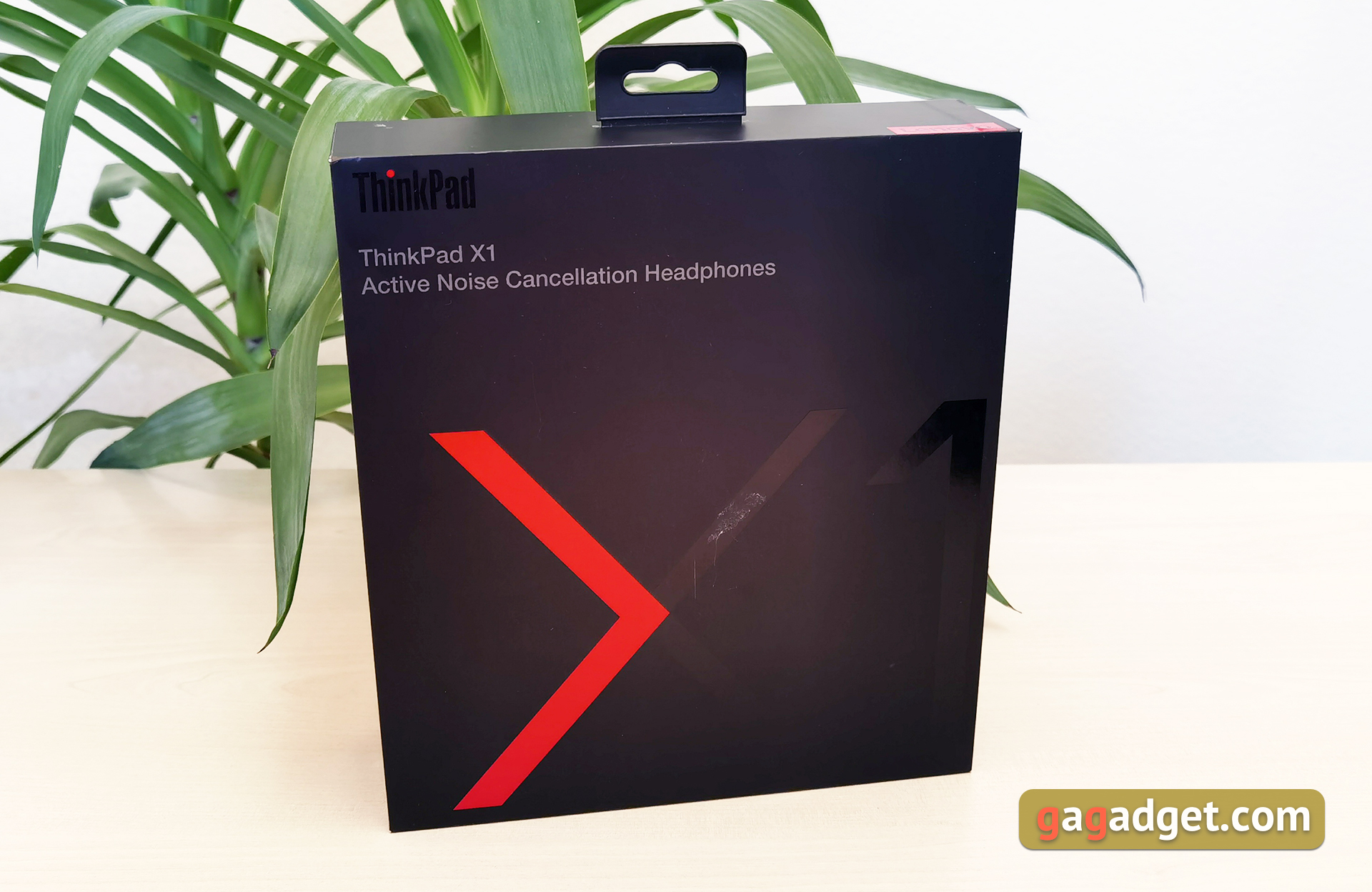
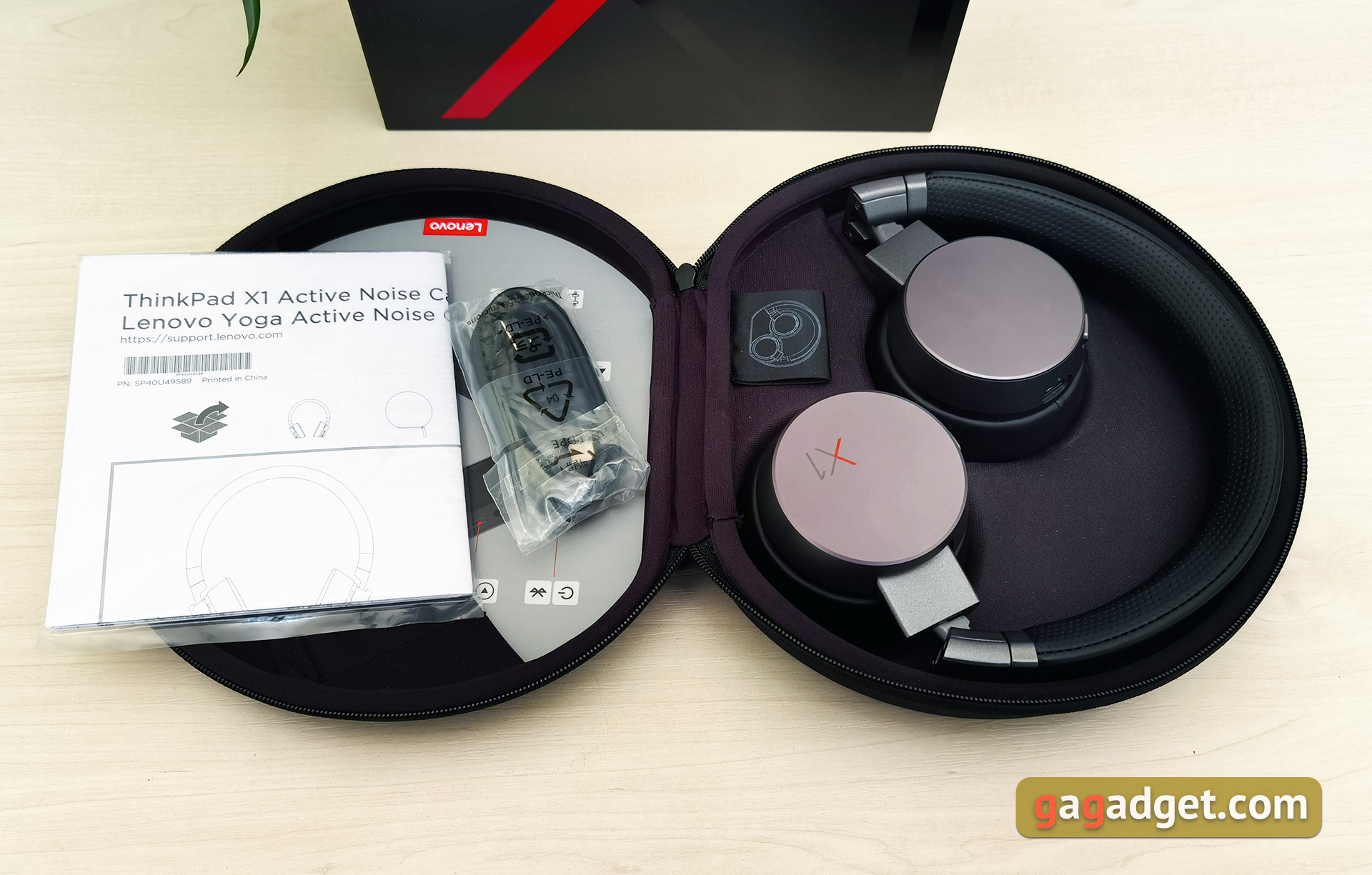
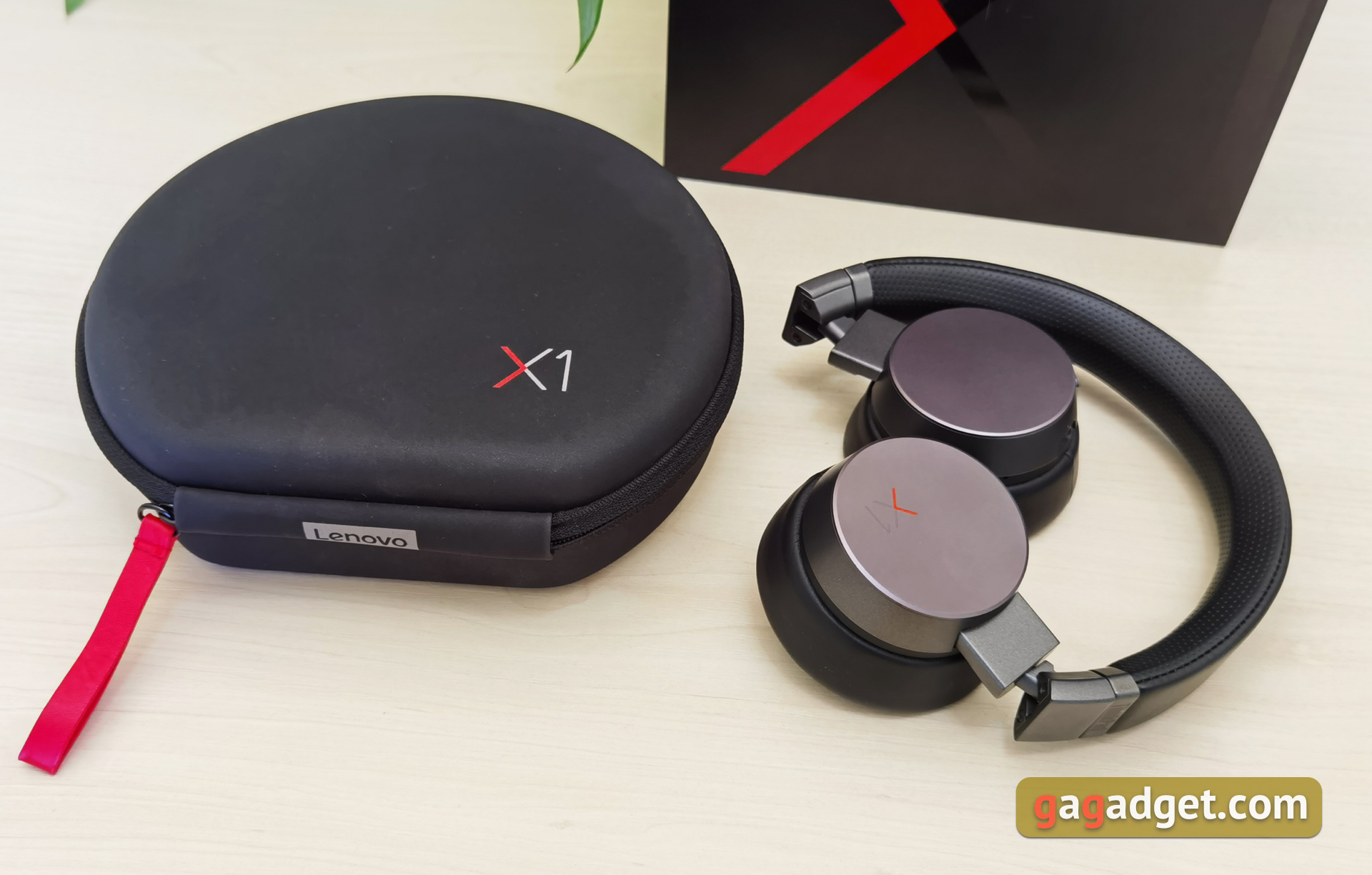
Lenovo ThinkPad X1 ANC is supplied in a large black box with X1 product range stylized logo. Inside you’ll find the headphones themselves, housed in a hard case with zipper, then a Type-C USB — Type-A USB cable for charging and documentation.
What do Lenovo ThinkPad X1 ANC Look Like?
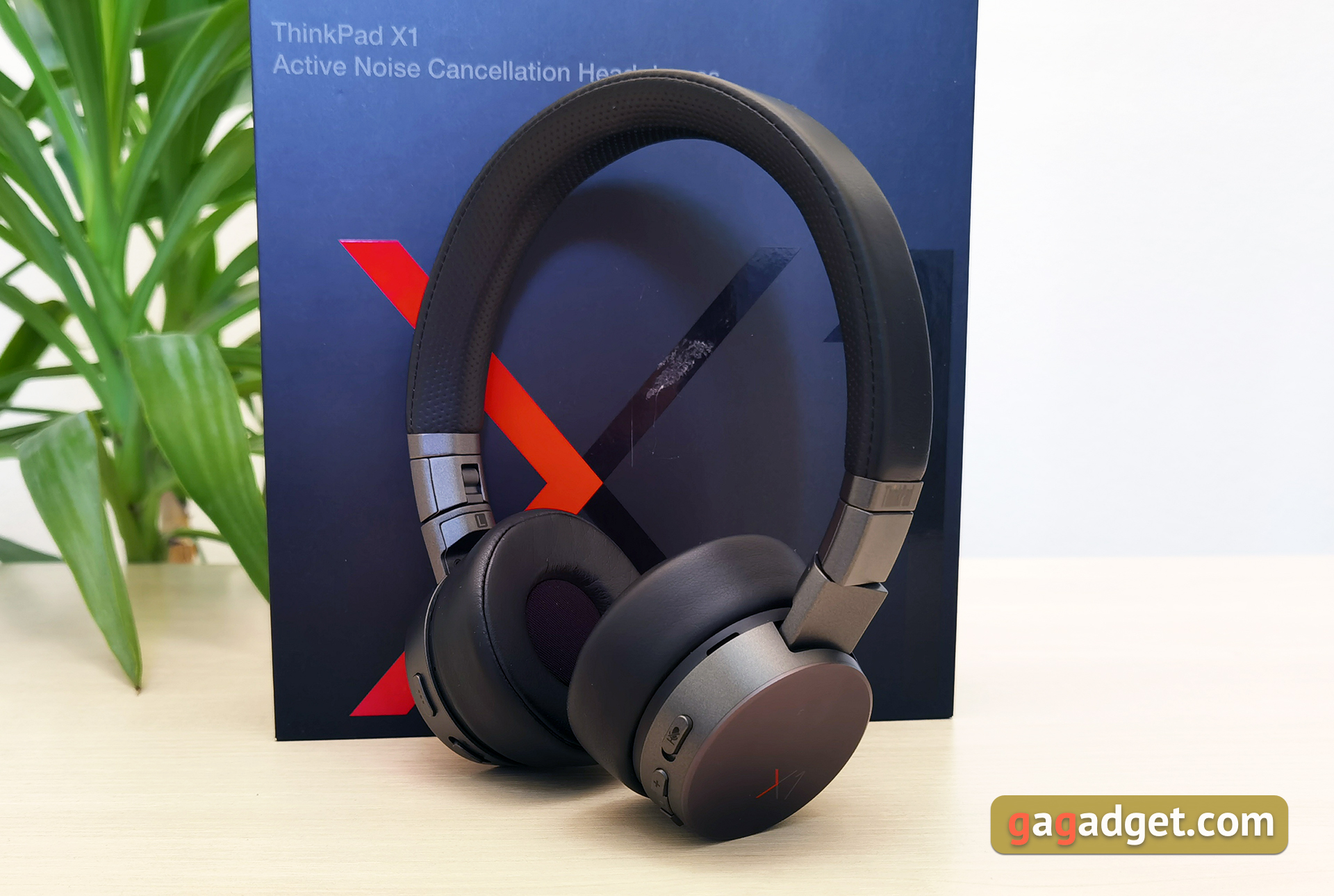
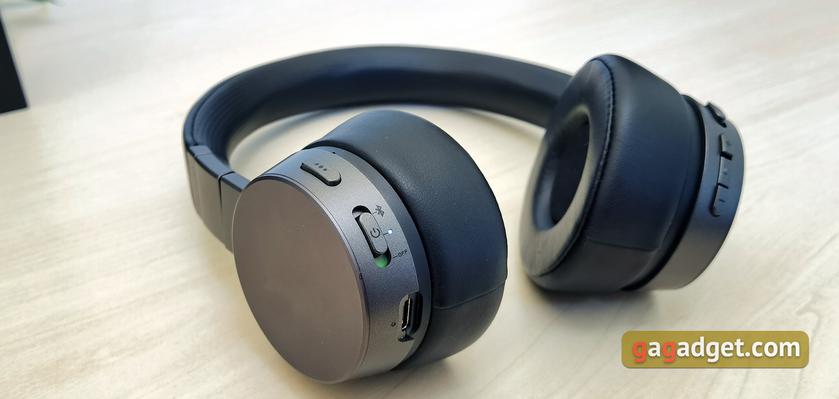
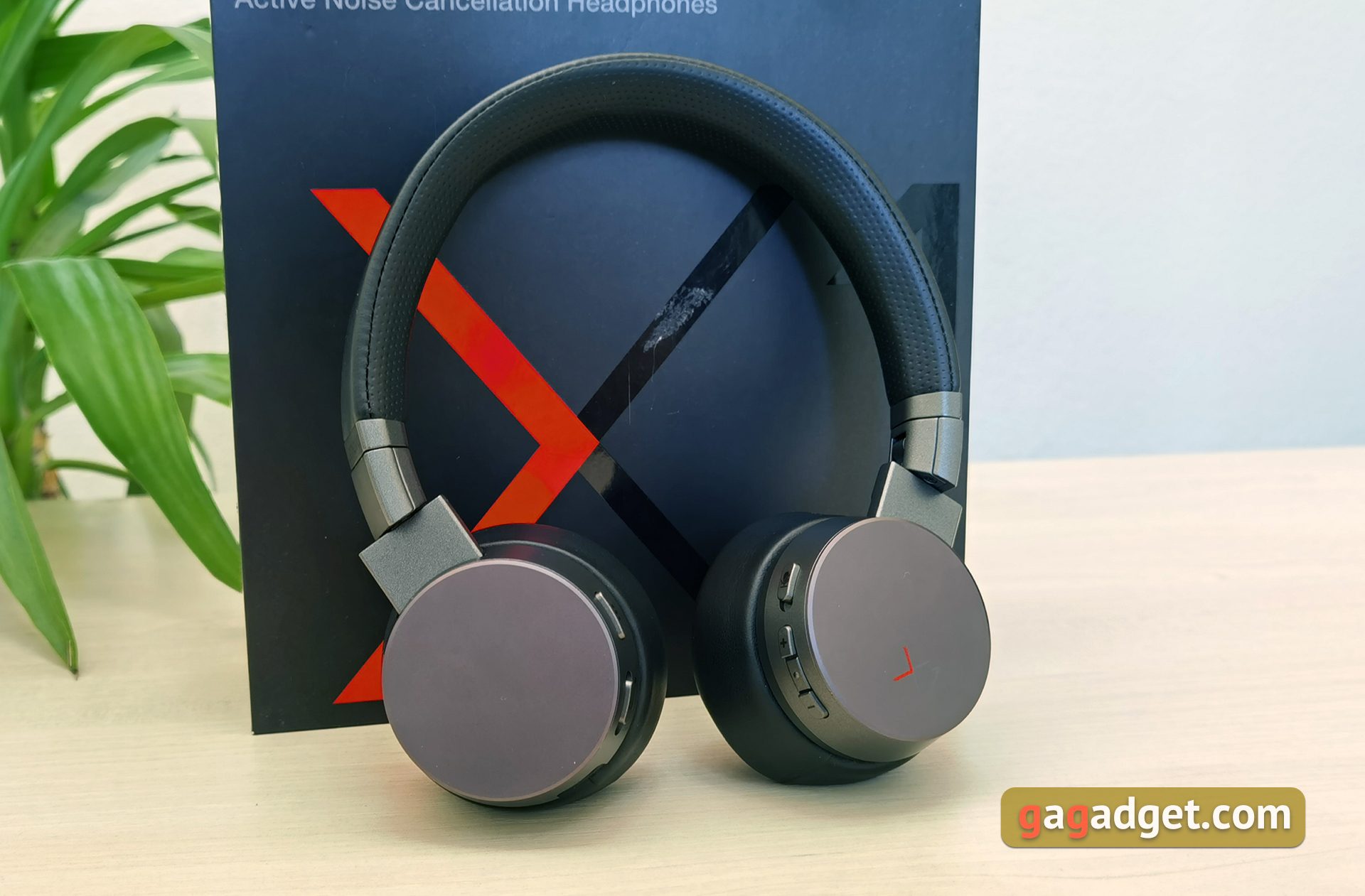
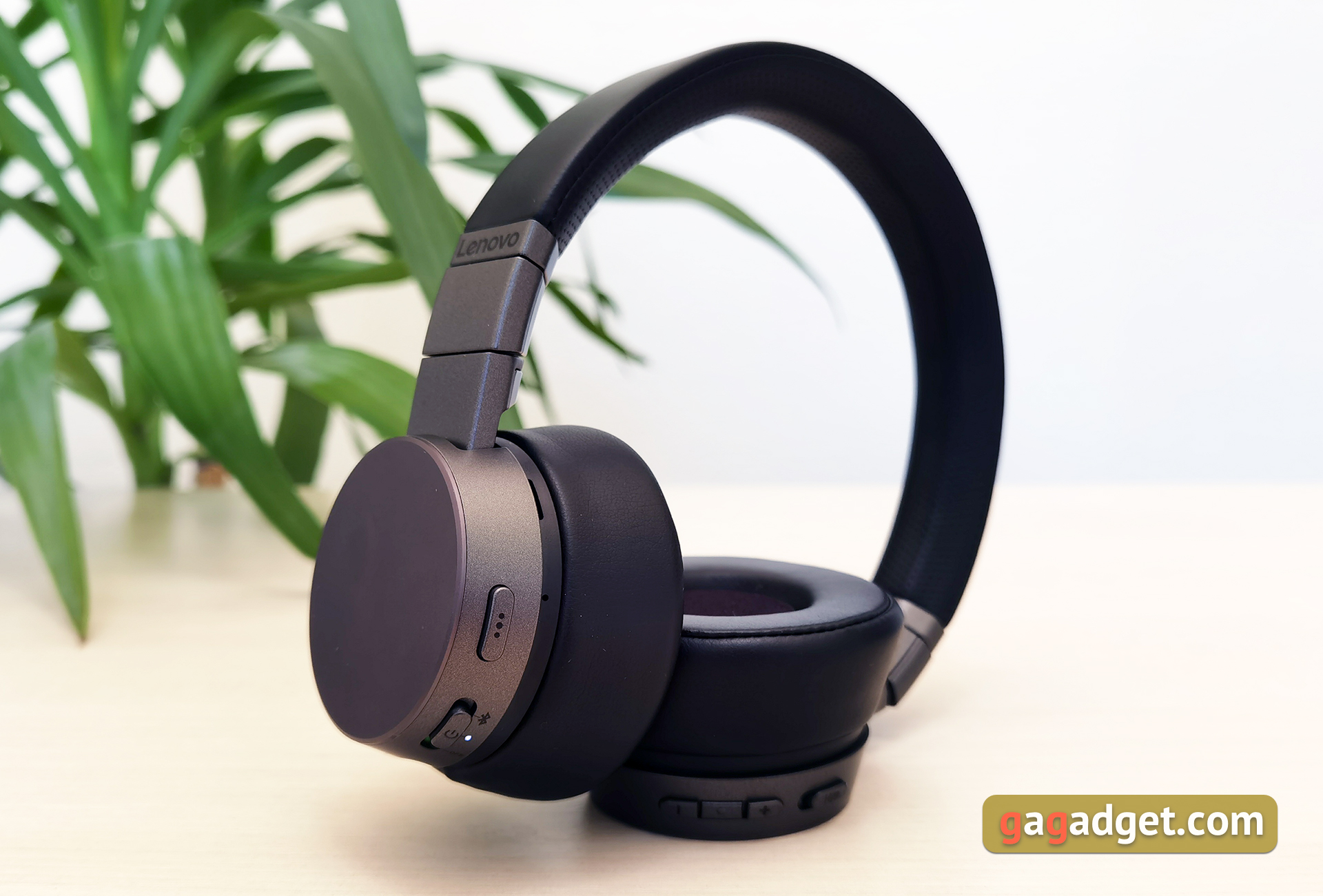
Lenovo ThinkPad X1 ANC are overhead headphones, they are more compact and lighter than full-size models. The headphones are made of plastic, metal and artificial leather. The design and color finish are laconic: a combination of dark gray and black. The headphones shell and the outer caps of cups are made of metal. The caps are flat and the X1 logo on the right is the only decorative element.
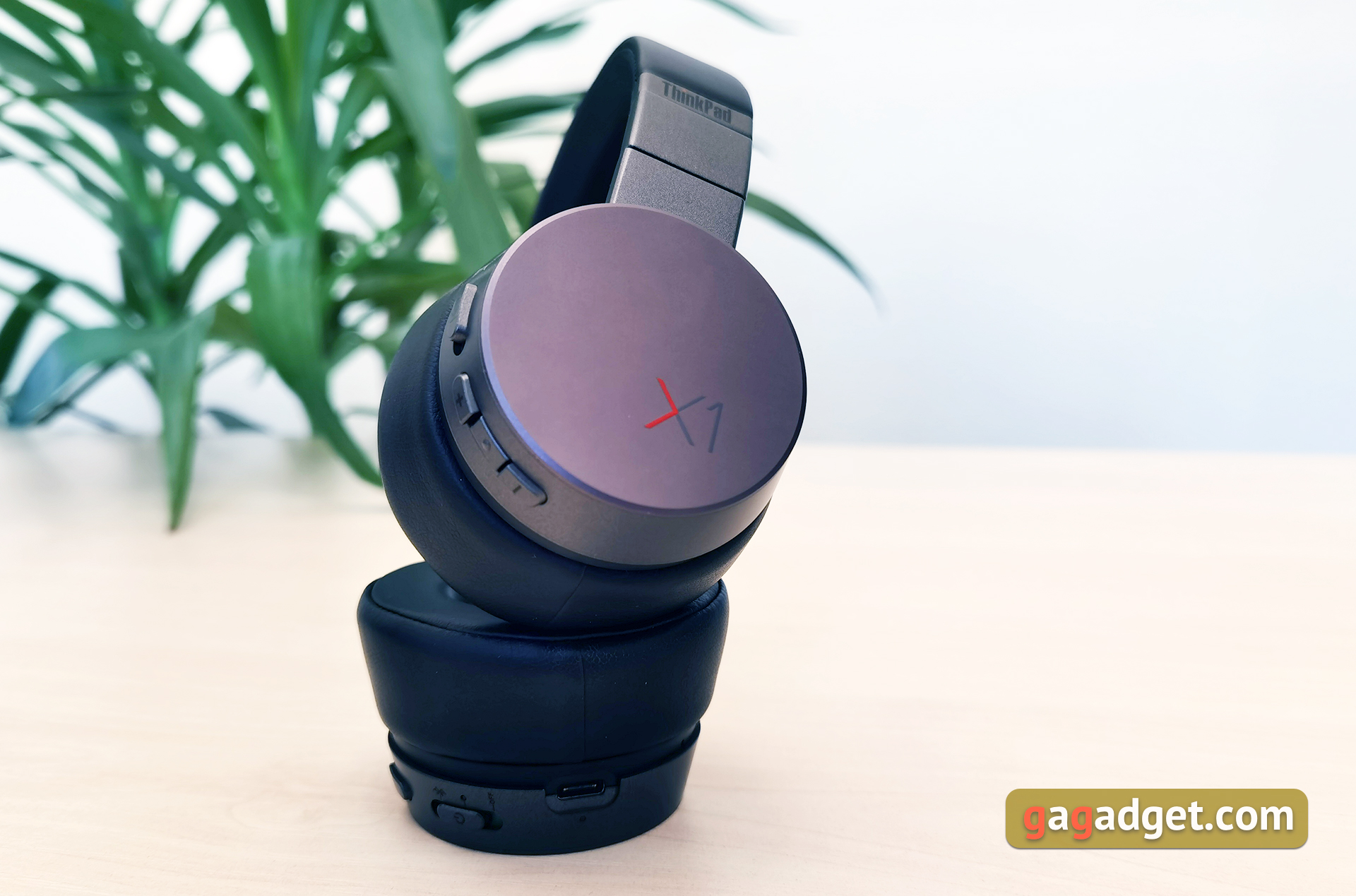
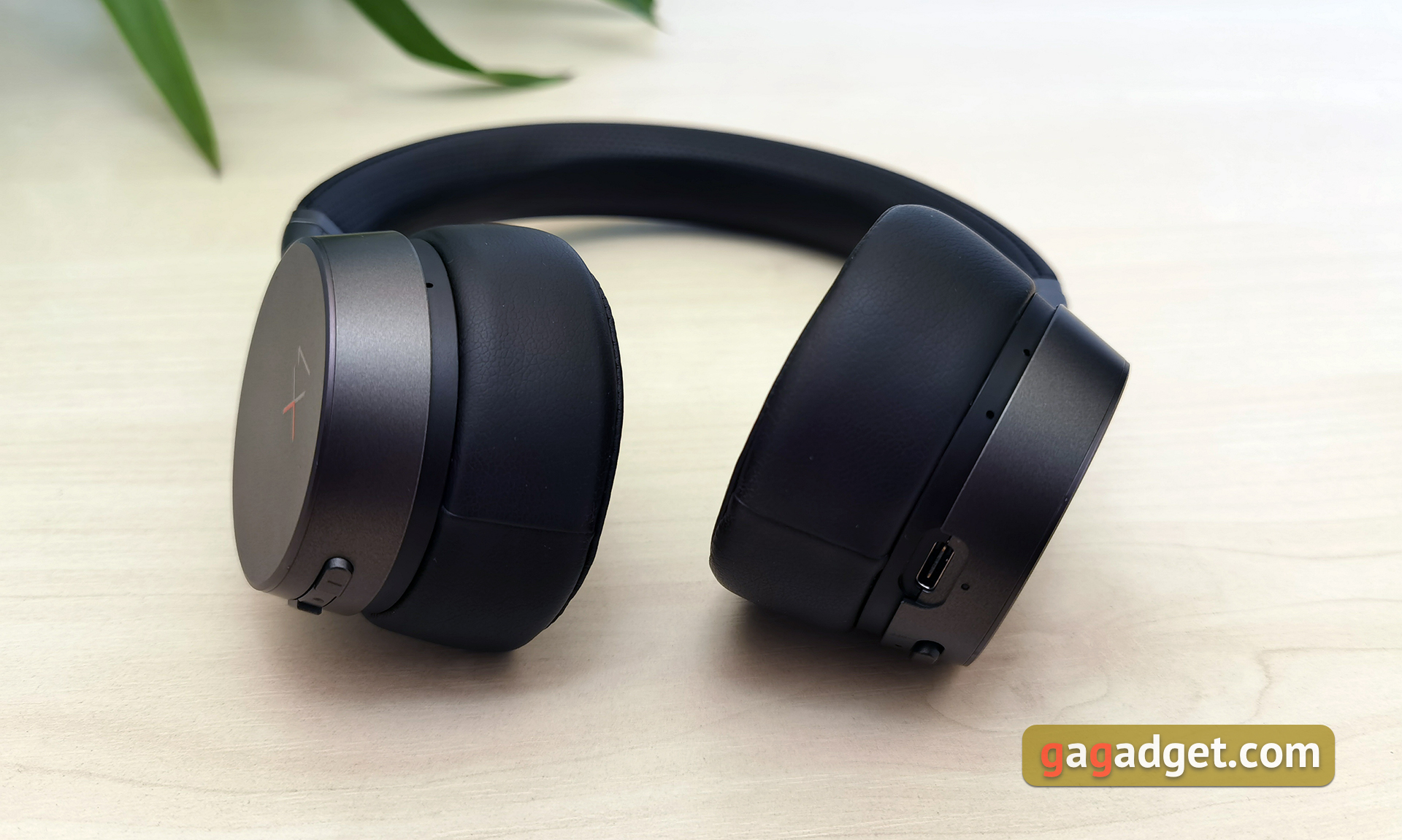
The cups are quite thick due to the impressive embouchure. Along the perimeter of the cups there are holes of extra microphones for active noise cancellation system.
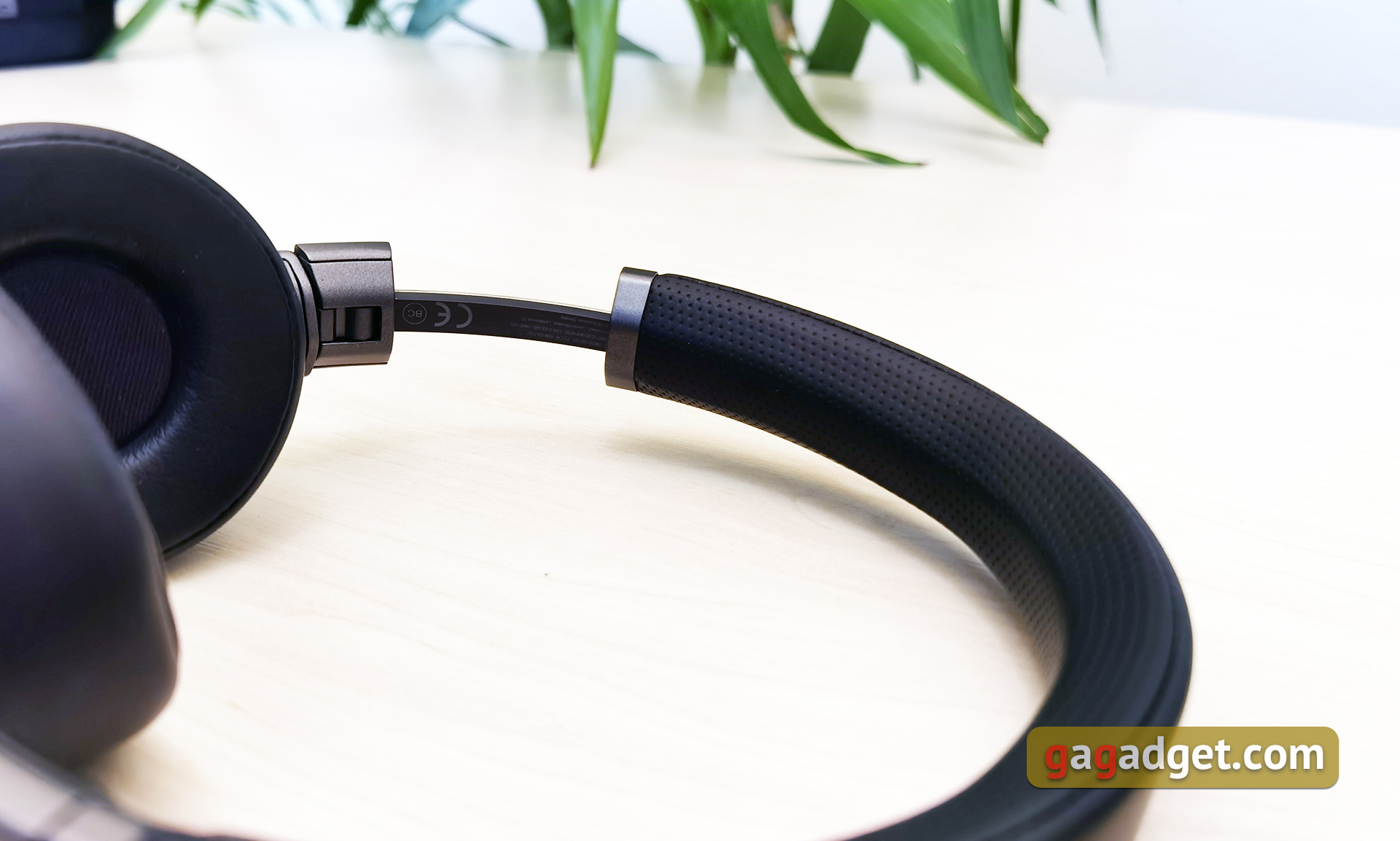
Lenovo ThinkPad X1 ANC feature a standard sliding mechanism design for size adjustment. The headband is upholstered in artificial leather with perforation and foam filler.
The cups can be rotated by 90° for comfortable wearing around the neck when you are not using headphones. And for easy storage and carrying cups can be folded inside.
The embouchures are not too wide in diameter, but it will be enough to «cover» the ears. They are padded with artificial leather, inside — a thick layer of soft foam filler.
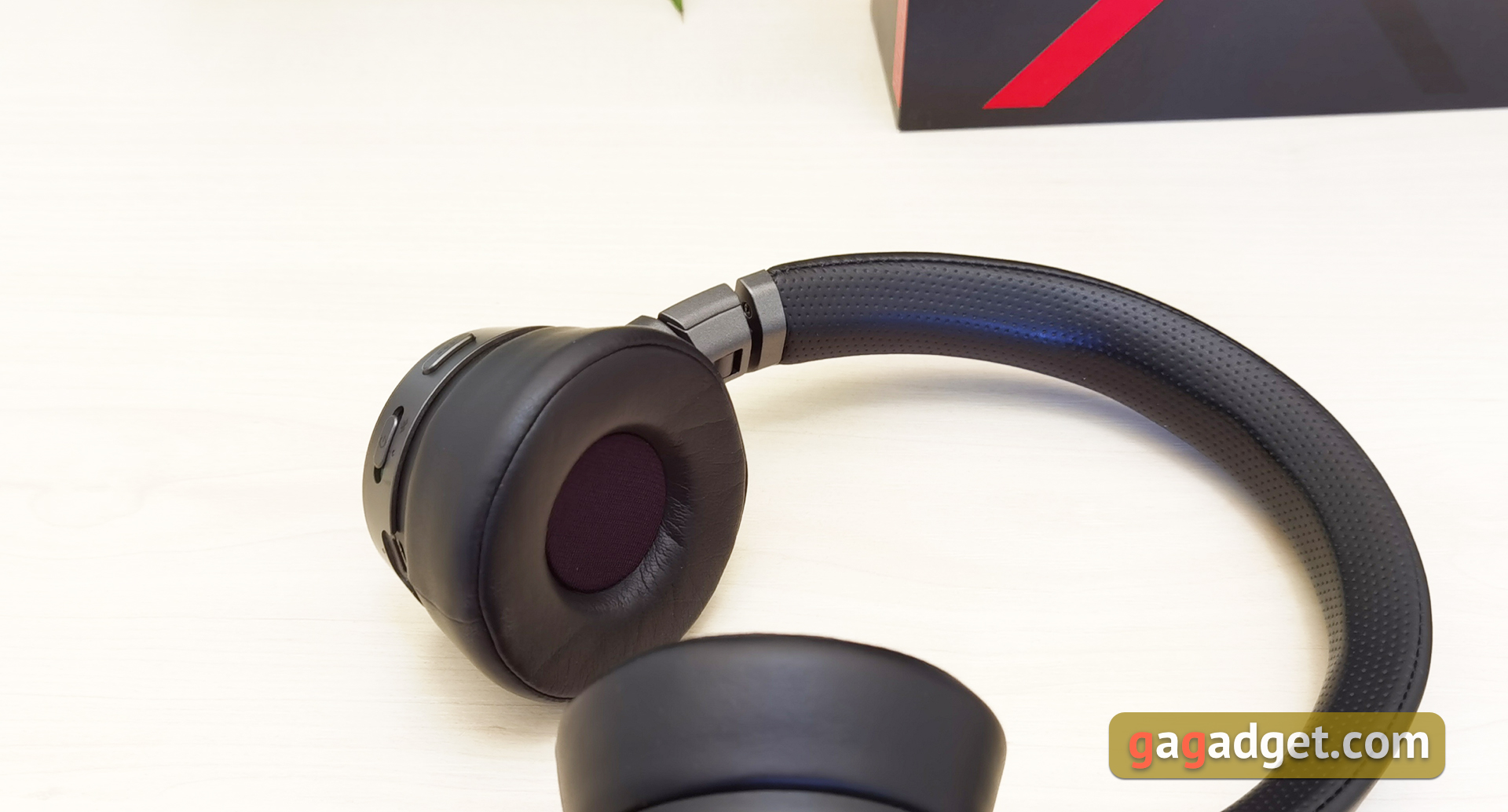
All functional elements are placed on the ends of the headphones. And there are many of them. On the left headphone there is a Type-C connector with LED for charging, on/off slider and a multifunction button. On the right headphone there is a microphone mute slider, a volume control button and a button to select the noise cancellation mode. Below we will tell you how to use all of them.
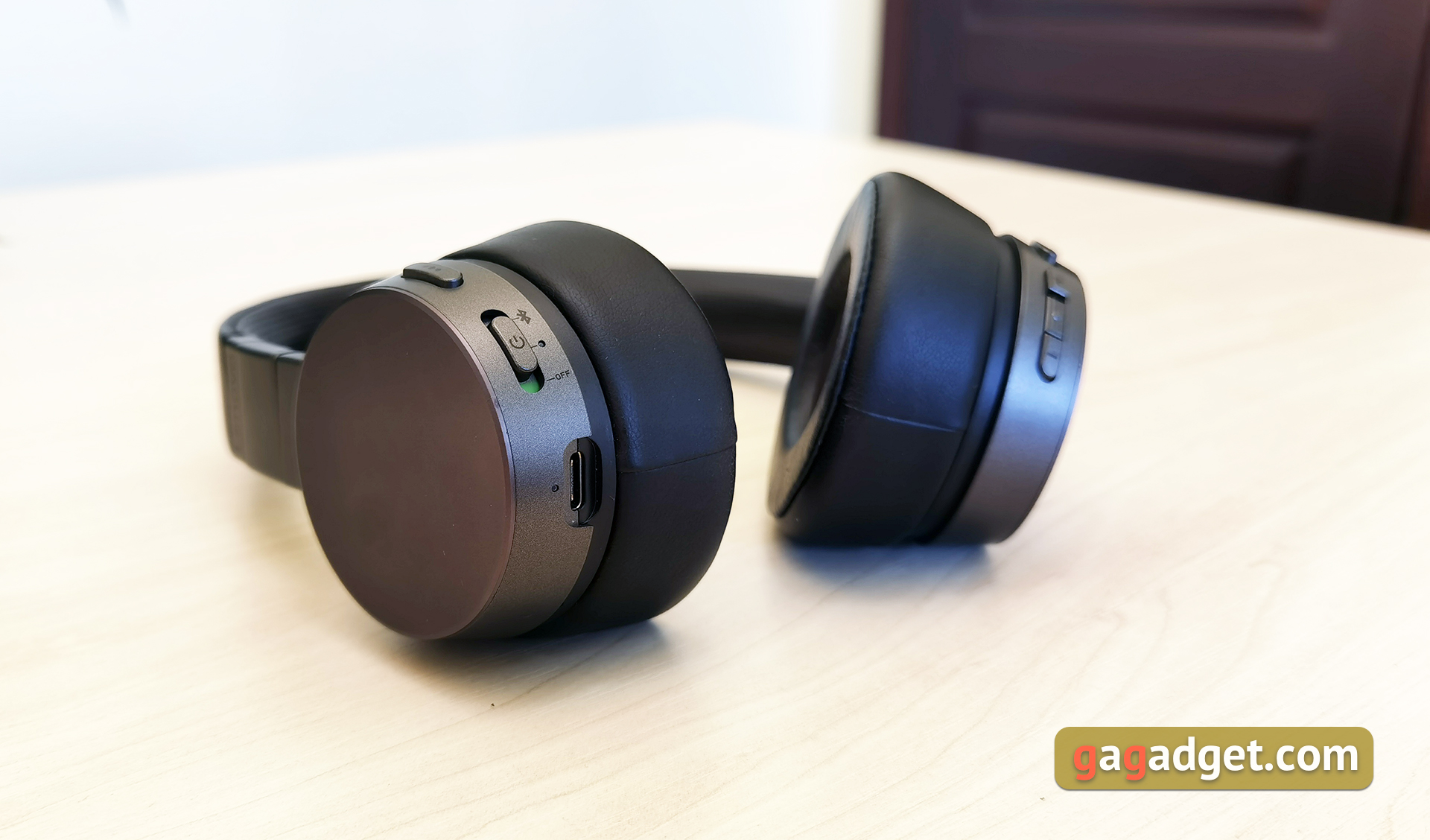
All the materials and assembly are very well done. The design is almost good: the headphones themselves look nice and stylish. But, because of the thickness, the headphones stick out quite strongly during use, which does not look very aesthetically.
Is It Convenient to Use Lenovo ThinkPad X1 ANC?
The same as all overhead headphones, Lenovo ThinkPad X1 ANC doe not hide ears inside the embouchures, but cover them. Thanks to the thick ear cushions and artificial leather, the passive sound insulation is quite good. Although, of course, it is inferior to full-size models. The range of headband adjustment is sufficient for any (or almost any) head. The downforce is sufficient for a good fixation of headphones on the head, they do not fly off during the walk. But with a very sharp movement, I think they can still fly off, which is peculiarity of overhead models. Provided the ambient temperature of the office is comfortable, you can wear headphones for hours, and they do not bother. If you go outside and the weather is hot, the ears start to sweat a little.
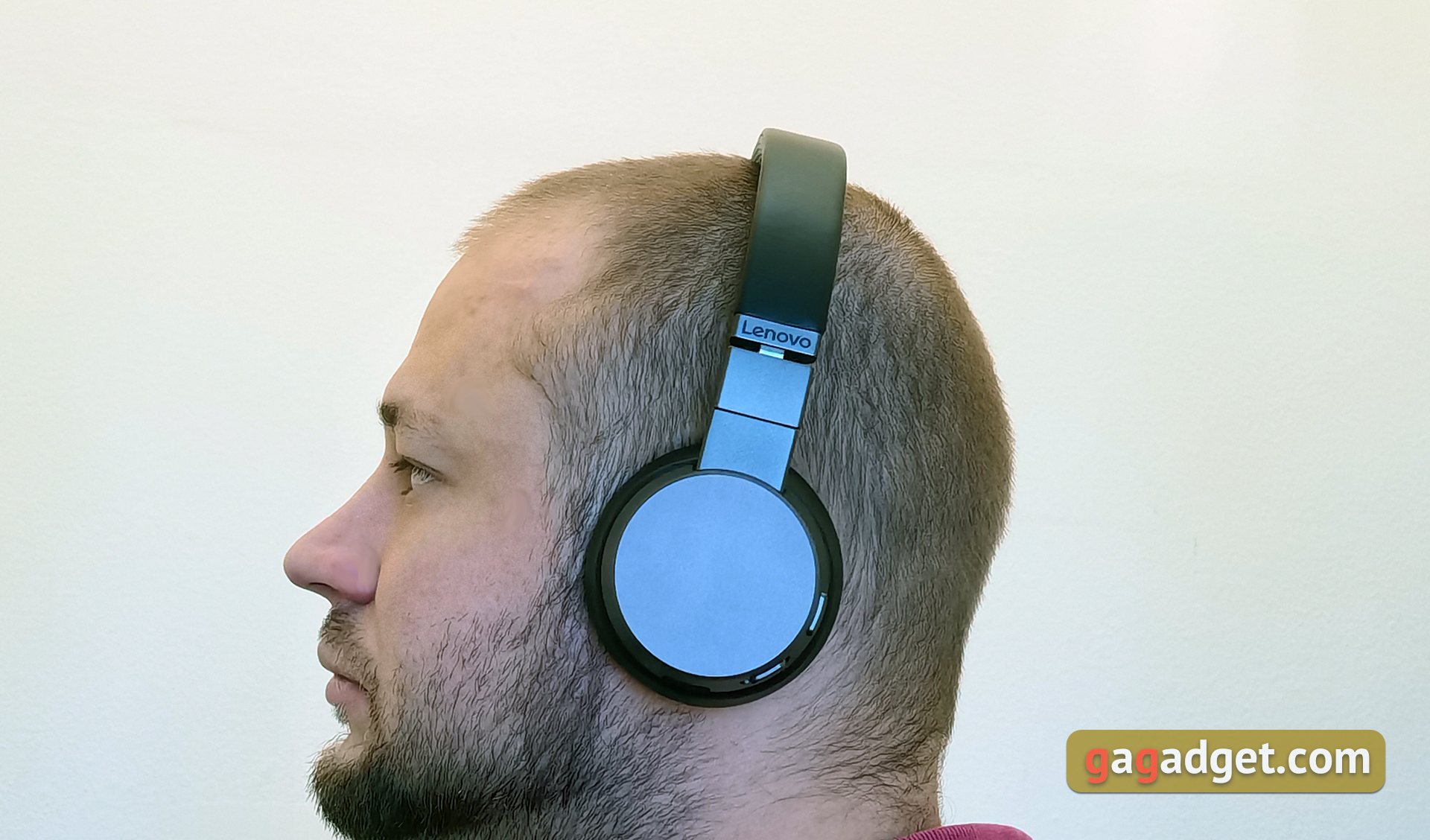
Bluetooth 5.0 is used for connection, and the headset can be connected to two devices. This is convenient when working in the office: you can connect a laptop and smartphone. To enter pairing mode, move the slider for 2 seconds before the Bluetooth designation. The headset supports SBC, AAC, aptX, aptXLL (Low Latency), HP1.7 and mSBC (Modified SBC). No issues with the stability of connection: there are no interruptions or stuttering in the line of sight up to the declared 10 m or even more. The headphones can also cope with one wall. Lenovo ThinkPad X1 ANC can be used over the cable when connected to PC/laptop via USB: the headset is detected by the system as an audio output device.
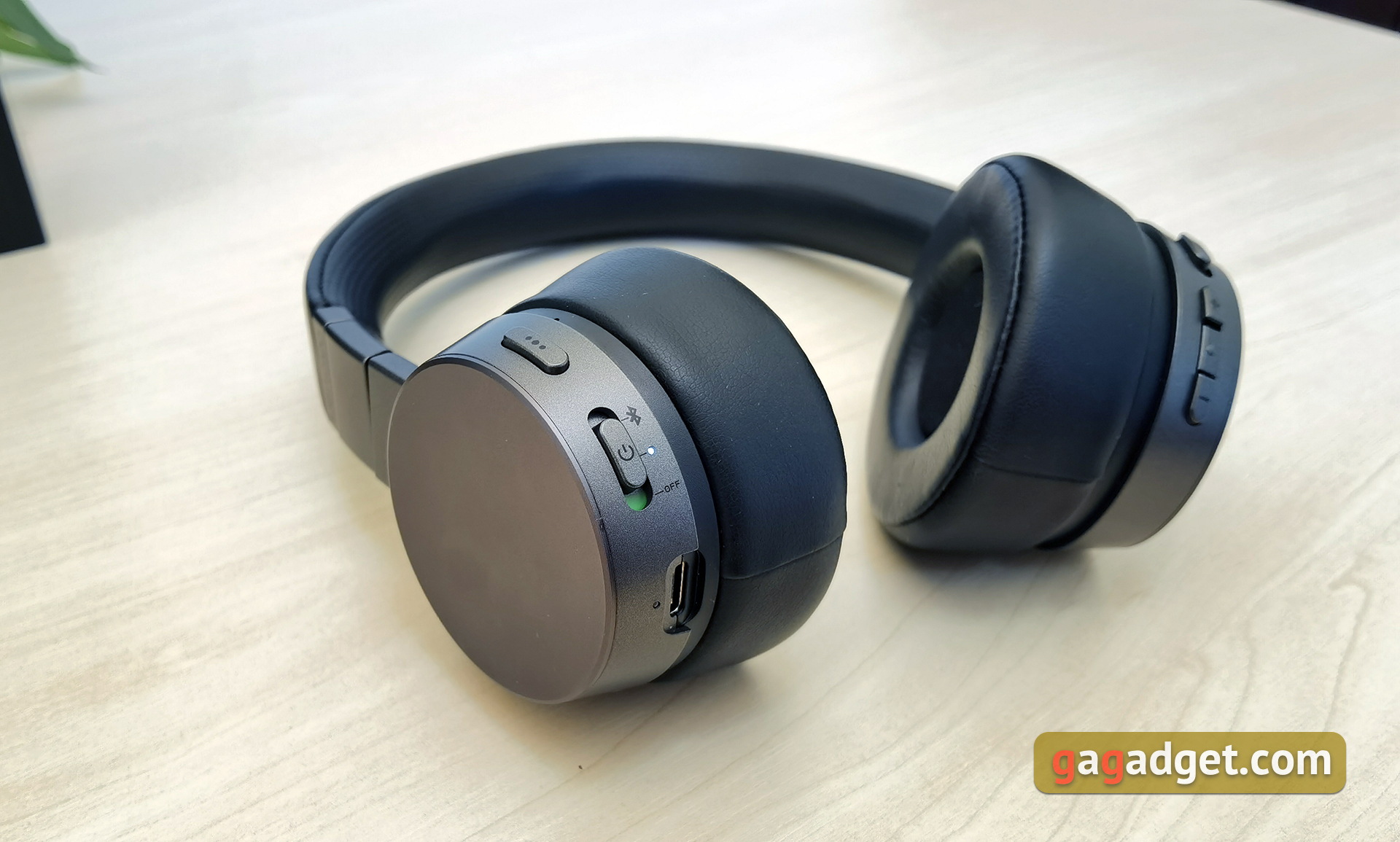
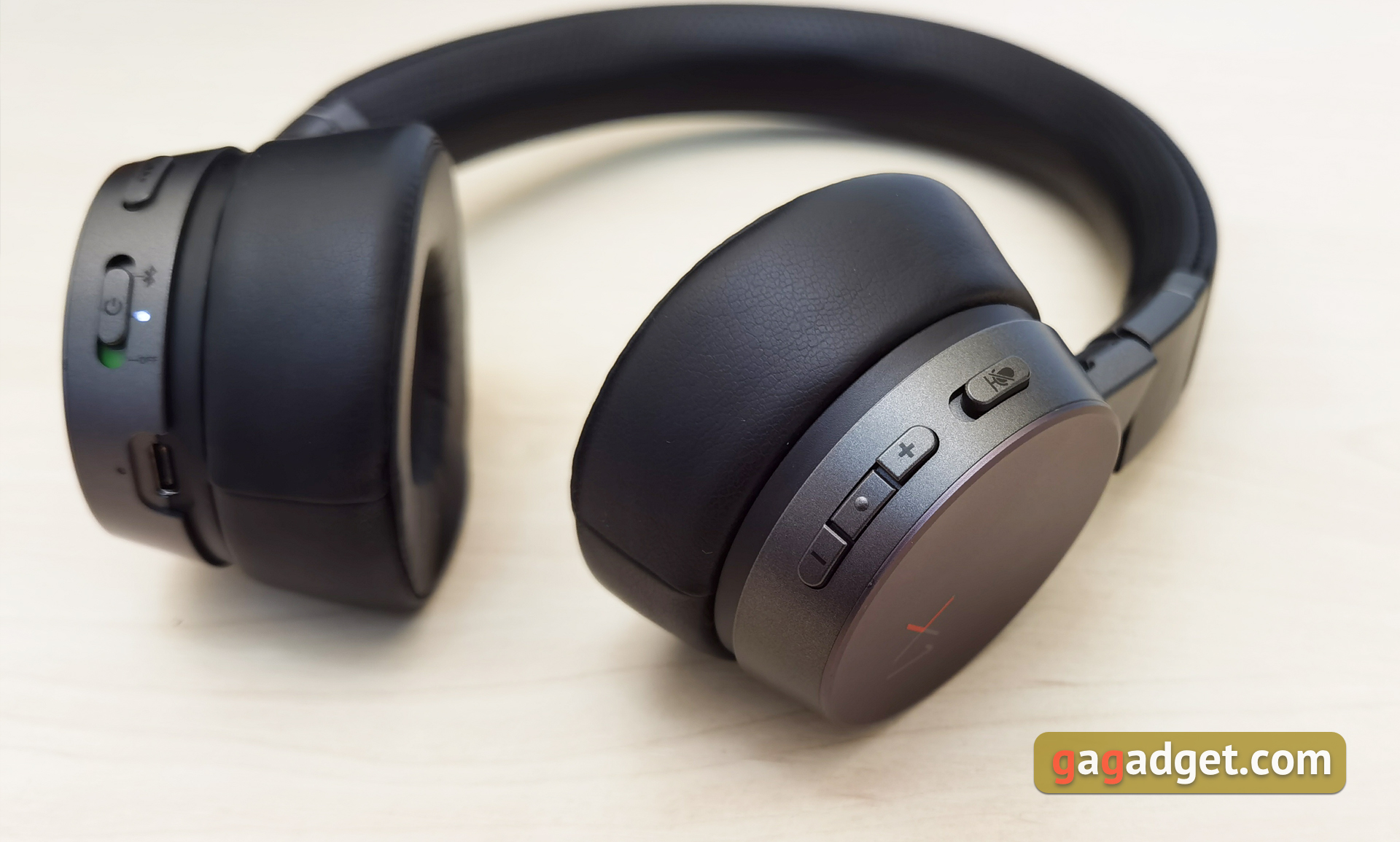
There are no additional applications for Lenovo ThinkPad X1 ANC, all control is performed with the help of buttons on the headphones themselves.There are a couple of buttons on the right to adjust the volume, between them there is a button to select the noise cancellation mode: two levels of noise intensity and its switching off. Their switching is accompanied by voice prompts. Above — the microphone mute slider. You can control playback and calls with the multifunctional button on the left headphone. Single pressing is in charge of playback pause/resume. Double and triple — switch to the next and previous track respectively. Single click receives and ends the call, and a long press can reject the call.
What about Sound and Microphone Quality?
Lenovo ThinkPad X1 ANC is clearly not positioned as a music fan solution, so it would be absurd to expect incredibly cool sound from them. The sound is quite adequate and its quality will be absolutely sufficient for the public audience. They do not sink into the low-frequency hum, although, it should be said that there is a certain emphasis on the low frequencies. What has already become common in most » popular » headphones, which are aimed at popular electronic and pop music, as well as hip-hop. Average frequencies are present in pretty decent amounts, but they sound flat and a little blurred. We would like more details. High frequencies, as it should be expected, are softened so as not to cut into the ears in some cases. The imaginary scene is a bit jammed. In general, as mentioned above, the headphones are suitable for popular music and have enough density, drive. For more complex instrumental music is not the best option. Although, the sound quality requirements are different for everybody and somebody will enjoy jazz or metal in the Lenovo ThinkPad X1 ANC.
According to the official website of Lenovo, the ThinkPad X1 ANC has six microphones, and in addition to active noise cancellation aimed to cut off external noise (ANC), there is also an electronic noise canceling — ENC, which is designed to cleanly transmit the user’s voice to his conversation partner during calls. Our testing of headphones proved that speech is indeed transmitted quite clearly, but the voice does not sound very natural and a little constricted, which is generally typical of similar solutions.
How Good is Noise Cancellation?
Lenovo ThinkPad X1 ANC is an overhead model with closed acoustic design, with passive soundproofing it is not perfect, but very good. The active noise cancellation system has two modes of operation. The first one, as I think, is better suited for the office, so that nothing distracts from the work. The second, more aggressive, is for use on the road. Monotonous low frequency background noise is cut off really well on the street. Of course, ANC does not cope perfectly with subway, but reduces the noise level enough to be able to comfortably listen to music. In general, the implementation of the active noise cancellation system does not reach Sony or Bose solutions, but the cost of Lenovo ThinkPad X1 ANC is approximately 2.5 times lower than recently reviewed Sony WH-1000XM4 with one of the best ANC on the market.
Battery Life
The built-in battery capacity of Lenovo ThinkPad X1 ANC is 800 mAh, it charges less than 3 hours. There is support for fast recharging: 2 hours of work after a 15 minute recharge. Up to 14 hours of battery life are promised with the noise cancellation turned off and (probably) at 50% volume. In real conditions, this may vary over a wide range. I got about 10 hours of operation. The maximum noise reduction level and the loudness were always used significantly above average. So the performance is very impressive.
Reasons to Buy or Not to Buy Lenovo ThinkPad X1 ANC
Pros:
- User-friendly design
- Good ANC mplementation
- Connection to two devices and support of SBC, AAC, aptX, aptXLL, HP1.7, mSBC;
- Long battery life
- Simple and straightforward control
Cons:
- You don’t like overhead headphones
- You are music fan and looking for headphones with appropriate sound
How Do They Stack Up Against Competitors?
People’s Choice – Sony WH-XB900N
- Solid noise-cancelling performance
- Good for bass-heavy music
- Up to 30 hours of playback
Thanks to the foldable design, the Sony WH-XB900N does not take up much space in a bag or backpack. They are good at reducing ambient noise, and the ANC level can be adjusted in the Sony Headphones Connect application. By default, the headphones may sound a little heavier on the bass, but this can also be corrected with Clear Bass control in the application. A double tap on the right cup is enough to answer the call, and the volume can be adjusted in a swipe up or down. The voice is transmitted very naturally. The model supports SBC, AAC, aptX, aptX HD and LDAC codecs. The battery life reaches 30 hours with active noise cancellation. You can often buy the headphones on sale at a discounted price.
Lenovo ThinkPad X1 ANC VS Sony WH-XB900N
| Sony WH-XB900N | Lenovo ThinkPad X1 ANC | |
| Noise Cancellation | NC with Ambient Sound Control | 2 levels of noise cancelling |
| Special Features | Quick Attention | Multi-point, ENC technology |
| Connectivity | Bluetooth 4.2, AUX, NFC for quick pairing | Bluetooth 5.0, USB digital audio |
| Driver size | 1.57″ | 1.57″ |
| Battery life with ANC on | 30H | about 10H |
| Weight | 8.96 oz | 7.55 oz |
Premium Choice – Beats Solo Pro
- Good sound and effective ANC
- Excellent voice call quality
- Always-on Siri for Apple devices
Beats Solo Pro has got a very effective ANC, but does not offer the ability to adjust the level of noise cancellation (only on, off and transparency mode). The headphones were designed with Apple ecosystem in mind. Thanks to the Apple H1 chip, the headphones connect instantly to iOS devices and MacBooks. You also have access to always-listening Siri, and a Lightning port for charging. On Android everything looks not so smooth, but you can download the Beats application on Google Play to configure and display the animation when paired. Solo Pro is well adapted for video conferencing and calls, at both ends the voice is clean and detailed. The headphones are available in 6 colors. Battery life: 22 hours with ANC on and up to 40 hours without it.
Lenovo ThinkPad X1 ANC VS Beats Solo Pro
| Beats Solo Pro | Lenovo ThinkPad X1 ANC | |
| Noise Cancellation | Pure ANC, Transparency mode | 2 levels of noise cancelling |
| Special Features | Audio Sharing, Apple H1 chip | Multi-point, ENC technology |
| Connectivity | Bluetooth 5.0, NFC, 3.5mm (separate cable required) | Bluetooth 5.0, USB digital audio |
| Driver size | 1.57″ | 1.57″ |
| Battery life with ANC on | 22H | about 10H |
| Weight | 9.42 oz | 7.55 oz |
Best Budget – Mpow H19 IPO
- Good noise cancelation at their price point
- Can be paired with 2 devices simultaneously
- Quick charging technology
The Mpow H19 IPO offers a good noise cancellation system for low cost headphones. They cut off most of the low and mid-frequency sounds, whether you’re in a crowded office, public transportation or in a busy street. When you make calls, CVC 8.0 microphones pick up your voice clearly. The headphones can be simultaneously connected to your smartphone and laptop. They can work for up to 35 hours on a single charge, but only 15 hours with ANC on. Quick charging takes only 10 minutes and provides 2 hours of listening time. Users also note that the headphones are very comfortable and do not put pressure on the ears.
Lenovo ThinkPad X1 ANC VS Mpow H19 IPO
| Mpow H19 IPO | Lenovo ThinkPad X1 ANC | |
| Noise Cancellation | Active Noise Cancelling | 2 levels of noise cancelling |
| Special Features | CVC 8.0 Microphone, Multi-point | Multi-point, ENC technology |
| Connectivity | Bluetooth 5.0, AUX | Bluetooth 5.0, USB digital audio |
| Driver size | 1.57″ | 1.57″ |
| Battery life with ANC on | 15H | about 10H |
| Weight | 8.47 oz | 7.55 oz |
Best Design – Marshall Mid A.N.C.
- Powerful sound with a rich bass
- Great battery life for the small size
- Distinctive Marshall design
Retro-styled Marshall Mid A.N.C. produces balanced sound and works up to 20 hours with active ANC mode. On the left cup there is a universal joystick-like control button, which allows you to switch and rewind tracks, adjust the volume, answer calls or activate the voice assistant. The vinyl shell with imitation leather texture can be easily folded for carrying. Stylish travel case included in the package. These are great headphones for those who want to stand out from the crowd. But not the best choice for calls, they make your voice sound muffled. Similar to some competitors, Mid ANCs allow active noise cancellation when wired to a sound source. In this mode they will work more than 30 hours. When listening wirelessly you can use the empty 3.5 mm input to share your music with a friend. Support for aptX codec is also worth mentioning.
Lenovo ThinkPad X1 ANC VS Marshall Mid A.N.C.
| Marshall Mid A.N.C. | Lenovo ThinkPad X1 ANC | |
| Noise Cancellation | Active Noise Cancelling | 2 levels of noise cancelling |
| Special Features | Music Share, Universal control knob | Multi-point, ENC technology |
| Connectivity | Bluetooth, Stereo 3.5mm | Bluetooth 5.0, USB digital audio |
| Driver size | 1.57″ | 1.57″ |
| Battery life with ANC on | 20H | about 10H |
| Weight | 7.33 oz | 7.55 oz |
The Verdict
Before buying Lenovo ThinkPad X1 ANC you should know at least three things about them:
The new Lenovo Smart Wireless Earbuds with active noise cancellation is only $99 — are the AirPods Pro in trouble?
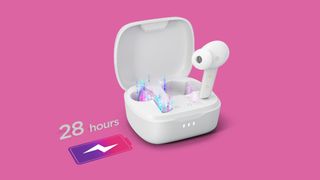
Lenovo just unleashed a new set of wireless earbuds at a competitive price that may have luxury-oriented Apple shaking in its boots. The Smart Wireless Earbuds are only $99.99, but come with active noise cancellation, up to 28 hours of use with the charging case, and water and sweat resistance.
The ThinkPad X1 Carbon maker boasts that the Smart Wireless Earbuds are ideal for on-the-go music lovers, podcast junkies and communicators who want to stay immersed in whatever they’re listening to as they pass through noisy areas like subways and construction zones.
-
: Is it worth nearly $600?
If your commute is filled with cacophonous noises, the Smart Wireless Earbuds may come to the rescue with its smart, adaptive noise cancellation tech. They can tune out up to 38 decibels of ambient noise.
The Smart Wireless Earbuds have six microphones with noise cancellation (three in each bud). Lenovo also pointed out that the earbuds sport 11mm dynamic drivers for immersive audio. The touch controls are customizable and Google Assistant is always one command away from serving up a hands-free experience. Plus, there’s an equalizer built into the companion app.
As mentioned, the Smart Wireless Earbuds can last 28 hours with its case, but seven hours on one charge (with active noise cancellation off). The case can be charged wirelessly or by USB-C. You can instantly pair the Smart Wireless Earbuds with your devices with just a flip of the case.
Feel free to walk outside with Smart Wireless Earbuds during a drizzle — and don’t worry about sweat cascading down your face during intense workouts. The Smart Wireless Earbuds have an IPX4 rating, which means that it should be protected from splashing water.
If you’re concerned about fit, you’ll be relieved to know that there are four different tip sizes you can choose from. The Smart Wireless Earbuds are available in two colors: black and white.
Lenovo says that the Smart Wireless Earbuds should hit store shelves by Q3 of this year, so you’ll be able to enjoy the new earbuds before the holidays.


Be In the Know
Get instant access to breaking news, the hottest reviews, great deals and helpful tips.
By submitting your information you agree to the Terms & Conditions and Privacy Policy and are aged 16 or over.
Kimberly Gedeon, holding a Master’s degree in International Journalism, launched her career as a journalist for MadameNoire’s business beat in 2013. She loved translating stuffy stories about the economy, personal finance and investing into digestible, easy-to-understand, entertaining stories for young women of color. During her time on the business beat, she discovered her passion for tech as she dove into articles about tech entrepreneurship, the Consumer Electronics Show (CES) and the latest tablets. After eight years of freelancing, dabbling in a myriad of beats, she’s finally found a home at Laptop Mag that accepts her as the crypto-addicted, virtual reality-loving, investing-focused, tech-fascinated nerd she is. Woot!
Beats Studio Buds hit lowest price of the year, now just $99
AirPods keep disconnecting from your iPhone? Here are 7 ways to fix the problem
Наушники Lenovo LP5 TWS Bluetooth 5.0 Наушники с шумоподавлением ENC Игровые наушники с малой задержкой — полные функции / руководство по эксплуатации
Lenovo Fast Link упрощает и ускоряет сопряжение Bluetooth с любым устройством Android или Windows. Как только вы открываете корпус наушников, начинает работать режим сопряжения. Беспроводные наушники Lenovo Smart Switch True Wireless имеют адаптивное интеллектуальное шумоподавление, которое динамически регулирует интенсивность шумоподавления в зависимости от окружающей среды, чтобы вы могли продолжать полностью погружаться в то, что слушаете, даже когда находитесь в шумной обстановке, например в метро или строительная зона. Эти наушники с шумоподавлением идеально подходят для бега и других видов спорта, поездок на работу, студентов по дороге на занятия, деловых путешественников и всех, кто хочет получить чистый звук и адаптивное шумоподавление в сочетании с удобством действительно беспроводных наушников. Они маленькие, портативные и имеют водонепроницаемость IPX4. Кроме того, вы можете использовать эти устойчивые к поту и воде наушники-вкладыши до 7 часов без подзарядки; карманный чехол для беспроводной зарядки даст вам еще три заряда.
Что в коробке?
- 1 пара Lenovo LP5
- 1 Зарядный чехол
- Зарядный кабель 1
- 1 Руководство
Как спарить наушники?
- Наушники должны находиться в режиме сопряжения. Обратитесь к инструкциям, прилагаемым к наушникам, если вы не знаете, как это сделать.
- Активируйте Bluetooth на своем смартфоне iOS или Android.
- Выберите «Сопряжение», найдя наушники в списке совместимых устройств.
Как носить наушники?
Вставьте вкладыши в ушной канал и поверните наушники в нужное положение. Для этого аккуратно потяните вверх верхнюю часть ушей. Это упрощает обеспечение правильного и прочного расположения наушников в ушном канале.
Как зарядить чехол для наушников?
Подключите зарядный чехол к одобренному настенному зарядному устройству или источнику питания USB. Для полной зарядки кейса и наушников требуется около двух часов. Примечание. Время зарядки может быть больше при использовании несертифицированных зарядных устройств.
Часто задаваемые вопросы
мне дал мне 7-часовую продолжительность один, между двумя всего 14 часов
он автоматически включается
Я был в порядке, и он водонепроницаемый.
Если они хорошего качества.
Когда кейс будет полностью заряжен, загорится индикатор, уведомляющий о том, что пора положить наушники в кейс, чтобы они могли начать зарядку. Вы можете заряжать наушники с помощью USB-соединения; просто подключите к зарядке.
Да. При использовании зарядного USB-кабеля для зарядки гарнитуры вы все равно можете его использовать. Если кабель, например аудиокабель или кабель для зарядки, подключен к USB-порту гарнитуры, вы можете заметить незначительное повышение температуры.
Переключите перечисленные наушники. Потяните вниз верхнюю панель телефона на устройстве Android, затем нажмите и удерживайте значок Bluetooth. Он сразу же перенесет вас в меню Bluetooth, где вы можете включить его, а затем начать поиск устройств. Чтобы связать пару наушников, коснитесь их имени.
Наушники Bluetooth являются неэффективными потребителями энергии. Чтобы помочь с энергосбережением, они сами отключаются, когда не используются. Устройство также может отключиться само по себе, когда батарея разрядится. Когда наушники Bluetooth не используются, они отключаются.
2 часа зарядки, срок службы батареи 12 часов USB Type-C, сенсорный порт для зарядки и корпусная батарея емкостью 300 мАч. Увеличение басов, объемный стереозвук, качество звука HiFi, водонепроницаемость IPX4, защита от пота и т. д.
Чтобы начать зарядку гарнитуры Lenovo TWS, просто откройте крышку зарядного бокса и поместите устройство внутрь. Когда начинается зарядка, светодиодный индикатор гарнитуры мигает красным; когда зарядка завершена, он выключается.
Шумоподавление окружающей среды называется ENC. Это означает, что он должен устранять или значительно уменьшать все окружающие шумы, сохраняя при этом голос субъекта. ENC теперь не всегда работает. При использовании наушников с микрофоном он работает.
Благодаря защите IPX5 WaterProof от дождя, пота и пыли наушники LP5 позволяют эффективно использовать их в любых спортивных условиях.
В большинстве чехлов есть литий-ионный аккумулятор, который поддерживает заряд наушников до тех пор, пока они не будут полностью заряжены. На всякий случай наушники всегда должны быть под рукой.
Да, это мудрая покупка, которая удовлетворяет ценителей качества звука замечательным сочетанием динамических драйверов, обеспечивающих хорошее качество звука и стильный дизайн. Несмотря на то, что они недорогие, эти наушники обладают всеми функциями, которые могут понадобиться в паре беспроводных наушников.
Если в наушнике все еще есть заряд, вы можете использовать его во время автономной зарядки в зарядном чехле. Левый и правый стереоканалы не объединяются при использовании только одной стороны наушников, поэтому вы будете слышать только звук, связанный с активной стороной.
Сигналы Bluetooth используются в True Wireless Stereo (TWS) для передачи звука вместо проводов или кабелей. TWS отличается от беспроводных аксессуаров, которые не полагаются на физические подключения к источникам мультимедиа, но все же требуют таких подключений, чтобы убедиться, что различные части устройства могут работать вместе.
Похожие сообщения
RAYCON RBE765 Игровые беспроводные Bluetooth-наушники Руководство пользователя ВВЕДЕНИЕ www.rayconglobal.com/support КРАТКИЙ ОБЗОР УСТРОЙСТВА ХАРАКТЕРИСТИКИ КРАТКИЙ ОБЗОР…
Наушники с активным шумоподавлением TOZO NC7 Как носить наушники TOZO Шаг 1: Убедитесь, что наконечник наушника…
Игровые наушники Lenovo XT92 TWS Наушники Bluetooth с малой задержкой Технические характеристики Принцип вокализма Динамическое активное шумоподавление Нет кнопки управления Да Связь True Wireless…
JBL REFLECT FLOW PRO Наушники с шумоподавлением Руководство пользователя…
Что такое шумоподавление (Noise-Cancellation) и что я могу от него ожидать?
Шумоподавление может быть основной причиной покупки наушников. Возможно, вы хотите отфильтровать посторонние звуки во время ежедневных поездок, в самолете или от шумных соседей.
Знаете ли вы?
Звук может передаваться, только если существует среда для его передачи, например воздух, вода, стекло или металл. Если вы находитесь в пустой комнате с динамиком, воспроизводящим музыку, вы услышите эту музыку. Однако если на несколько секунд удалить из комнаты воздух, динамик продолжит работать, но вы не услышите ни звука, так как не будет среды для передачи звуковых волн. Аналогично, космос — это вакуум, поэтому он не передает звуковые волны так, как воздух на Земле (хотя те же звуки существуют и в открытом космосе, просто мы их не слышим)
Почему я слышу посторонний шум при включенном шумоподавлении?
В пространстве между аудиоустройством и барабанной перепонкой находится воздух
Технология шумоподавления не может полностью изолировать звук от шума из-за воздуха, находящегося между аудиоустройством и барабанной перепонкой. Однако этот воздух необходим вам, чтобы слышать музыку. Если бы вы могли удалить этот воздух, результатом была бы тишина — независимо от громкости музыки. Почему? Не было бы среды для передачи звука из аудиоустройства на вашу барабанную перепонку. Поэтому шум в какой-то степени всегда будет проникать и быть слышимым.
Также не стоит забывать об объективной особенности органов чувств человека: человек эволюционировал многие тысячи лет, во многом полагаясь на слух. Это до сих пор важный фактор безопасности. Поэтому слышать для него естественный шумовой фон (даже если мы на него и не обращаем внимания сознательно) — естественно и нормально. Чувство слуха обостряется, если ухудшается восприятие другими органами чувств или меняется привычный шумовой фон. Системы шумоподавления наушников подавляют часть естественных и привычных для слуха шумов (природы или урбанистические) обеспечивая "непривычную" для ситуации тишину (чего сознательно добивается слушатель), но мозг человека со временем может подсознательно или инстинктивно начать компенсировать такое изменение и пытаться лучше различать те звуки, на которые раньше не обращал внимания (при тех же настройках и параметрах шумоподавления наушников).
Шумоподавление на разных уровнях частоты
Вы замечали, насколько эффективно шумоподавление заглушает звук самолетного двигателя? Однако, когда кто-то рядом с вами говорит, вы слышите его голос. Почему так происходит?
Шумоподавление лучше всего работает, когда окружающий шум имеет низкую или среднюю частоту. Басы считаются звуками с низкой частотой, а высокие ноты — звуками с высокой частотой. Двигатель самолета производит постоянный низкий звук, поэтому уровень звука, который вы слышите, остается неизменным.
Когда кто-то говорит, звуковые волны рассеиваются в зависимости от громкости и энергии, создаваемой каждым словом и звуком. В отличие от звука самолетного двигателя частота человеческой речи изменяется постоянно.
Как работает шумоподавление?
Аудиоустройства с шумоподавлением используют встроенный микрофон для анализа окружающих звуковых волн и генерируют противоположные звуковые волны для подавления этих звуков. Шумоподавление работает наилучшим образом, если окружающий звук является постоянным и находится в диапазоне низких или средних частот.
Теперь давайте рассмотрим колеблющиеся уровни частоты во время разговора. Внезапные изменения частоты происходят слишком часто. Аудиоустройству с шумоподавлением сложно анализировать и обрабатывать эти различия. Поэтому некоторые звуки слышны, а другие — нет.
Что я могу ожидать от технологии шумоподавления (Noise-cancellation)?
Функция шумоподавления позволяет повысить качество прослушивания за счет устранения мешающих внешних звуков.
Однако помните следующее:
- Эффект шумопонижения может быть неявным в спокойной обстановке или могут быть слышны некоторые звуки. Если окружающие шумы слабые, даже рекомендуется не включать функцию NC, так как для ее оптимальной работы необходимо, чтобы поступал сигнал окружающих шумов.
- Эффект шумоподавления может различаться в зависимости от того, как вы носите гарнитуру; также в некоторых случаях может возникать микрофонный эффект. В подобных случаях снимите гарнитуру и снова ее наденьте.
- Главным образом система шумоподавления работает в низкочастотном диапазоне (поезда, самолеты, звук двигателя). Хотя шумы и понижаются, они не убираются совсем.
- Если гарнитура используется в поезде или автомобиле, шумы могут возникать в зависимости от окружающих условий. Не рекомендуется использовать гарнитуру с подавлением внешних шумов во время управления автомобилем, так как возможность слышать все окружающие звуки дорожного движения является важным фактором обеспечения вашей безопасности.
- Шумы и помехи могут возникать при использовании мобильных телефонов. В подобных случаях гарнитура должна располагаться подальше от мобильного телефона.
- Не закрывайте микрофоны. При этом функция шумоподавления или режим окружающего звучания (Ambient Sound Mode) могут не работать оптимально, или может возникать микрофонный эффект. В подобных случаях убирайте руки с микрофонов гарнитуры.
Для просмотра этого видео в Youtube примите все файлы cookie.
Зайдите в настройки файлов cookie ниже и включите сохранение файлов cookie для Youtube в разделе «Функциональные».