Epson L3100
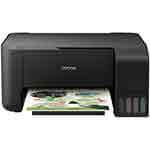
Epson L3100 — это современный МФУ 3-в-1, а именно принтер, сканер и копир нового поколения имеющий фронтальные емкости для пополнения чернил. Отмечается высокая скорость работы и высокое качество печати, но при первом подключении вам понадобится произвести установку драйвера. Процесс установки предельно простой и производится в автоматическом режиме после чего операционная система Windows произведет определение устройства. Скачать драйвер для Epson L3100 вы сможете с нашего сайта по ссылкам ниже без регистрации.
Скачать драйвер Epson L3100:
Внимание! Прежде чем установить драйвер Epson L3100. Рекомендуем удалить старую версию драйвера. Как удалить драйвер можно прочесть в разделе FAQ.
Epson L3100
Universal printer drivers for Laser Printers and Business Inkjet products including PCL support.
This latest version includes
— Bug Fix
Epson Photo + is an application that allows you to easily arrange and print photos. By clicking the function buttons on the screen, you can view a preview of the finished print image, and print easily without having to make any complicated settings.
This latest version includes
— Bug Fix
EpsonNet Print is utility software that provides printing that does not require a dedicated server for printing using a TCP/IP network (peer to peer printing). Normally when printing via a network with a Win 9x OS, a server (such as Windows NT Server, Novell Netware etc.) is required to manage the print queue in the network environment. However, by installing this software on the user PC, this restriction is eliminated. Since 1997 EPSON has made available similar functions with the TCP/IP direct printing function in EPSON Printer Window! 2 (overseas name: EPSON Status Monitor 2) and EpsonNet Direct Print, however this software is now positioned as the successor to these peer to peer printing tools (EPSON standard network printing tool), and it has the following features.
Event Manager launches File Manager or PageManager for EPSON automatically when you press the B&W Start or Color Start button on the control panel in Scan mode. You can select an application to be launched when pressing the B&W Start or Color Start button.