Как выровнять по центру в CSS
Как часто у вас, как у веб-дизайнера, возникает задача при помощи CSS выровнять по центру какой-либо элемент на странице? Иногда это сделать очень легко, а иногда приходится повозиться. В этой статье предлагаю раз и навсегда разобраться в данном вопросе чтобы выравнивание в CSS не вызывало у вас никаких проблем.
Все примеры в этой статье интерактивные. Размеры и расположение элементов в них можно менять. Для этого нужно просто .
Подсказка: наведите курсор на правый нижний угол.
Как в CSS выровнять по горизонтали?
В зависимости от того, какой элемент вам нужно выровнять по центру горизонтально, можно воспользоваться одним из следующих способов.
text-align: center
Самый быстрый и простой способ выровнять текст или изображение по центру родительского элемента — использовать свойство CSS text-align: center . Чтобы этот метод работал, элементы, которые вы хотите отцентровать, должны иметь свойство display — inline или inline-block , а их родительский элемент должен быть блочным (block или inline-block ). Поэтому если text-align: center не работает, проверьте, все ли в порядке со свойством display .
margin: auto
При помощи свойства margin можно центрировать блочные элементы. Однако margin: auto работает только для выравнивания по горизонтали. К тому же, обязательно должна быть задана ширина ( width , min-width или max-width ). Если ее не задать, блок растянется на всю ширину родительского элемента.
Если ширина блока неизвестна или вы не хотите ее жестко ограничивать, данный метод не подходит.
Как в CSS выровнять по вертикали?
Часто именно выравнивание по вертикали вызывает большое количество трудностей и непонимания. Но на самом деле ничего сложного в этом нет. Давайте разберемся по порядку.
padding или line-height
Допустим, вам нужно выровнять все содержимое элемента по центру вертикально, т.е. нужно чтобы расстояние от верхней границы элемента до верхнего края контента было равным расстоянию от нижней границы элемента до нижнего края контента. Для этого можнопросто задать равные вертикальные отступы padding .
Другой способ — выравнивание содержимого по вертикальному центру при помощи свойства line-height . Он подойдет тогда, когда высота элемента фиксированная и задана при помощи свойства height , а содержимое этого элемента помещается в одну строку (согласен, слишком много ограничений).
Обратите внимание, что значения height и line-height должны быть равными.
vertical-align: middle
Свойство CSS vertical-align выравнивает элемент по вертикали относительно родительского элемента, окружающего текста или ячейки таблицы. Однако с ним не все так просто. Это свойство работает только для inline-элементов (span, img и т.д) и элементов с display: inline-block ;
Кроме того, при помощи свойства vertical-align можно выровнять по вертикали содержимое ячеек таблицы. Этим можно воспользоваться для того, чтобы выровнять блочный элемент, хакнуть систему, так сказать.
Для того, чтобы этот метод работал, как задумано, нужно задать абсолютные (в px) размеры родительского элемента. У дочернего элемента ширина и высота могут быть относительными (например, в %).
transform: translate()
Свойство CSS transform позволяет двигать, вращать, изменять размер и форму элемента. Этот инструмент настоящий must have для создания современных адаптивных и интерактивных дизайнов. Поэтому ему будет посвящена отдельная статья (а может и две 😉
В рамках этой статьи рассмотрим использование свойства transform c функцией translate() в качестве значения. Суть метода сводится к следующему:
Обратите внимание, что родительскому элементу нужно задать position: relative; иначе дочерний элемент будет выравниваться относительно ближайшего родителя с position: relative или, если такого нет, — относительно страницы.
Итак, мы выровняли элемент по центру. Или не совсем по центру? Дело в том, что по центру выравнивается левый верхний угол блока (так сказать, начало его координат). Если блок имеет фиксированный размер и он нам известен, можно сдвинуть его (блок) на расстояние равное половине размера при помощи свойства margin .
Но лучше воспользоваться волшебным свойством transform: translate(-50%, -50%); Оно также сдвигает блок на половину его длины и высоты соответственно, при этом нам не нужно указывать абсолютные размеры. Для адаптивного дизайна то, что нужно!
flexbox CSS
Flexbox — современный и очень гибкий способ расположения элементов на странице, который позволяет с легкостью создавать красивые интерфейсы, не засоряя код лишней разметкой и стилями. Я очень рекомендую вам им овладеть. В ближайших постах обязательно расскажу о нем подробнее.
Ну а пока вернемся к выравниванию по центру.
Теперь давайте разберемся, что все это значит.
display: flex
При помощи этого свойства преобразуем родительский элемент в так называемый гибкий контейнер (flex container), при этом все вложенные элементыпервого уровня (т.е. непосредственные дочерние элементы) становятся так называемыми гибкими элементами(flex items), и вместе это все составляет flexbox лэйаут.
justify-content: center
Это свойство выравнивает содержимое контейнера по центру вдоль основной оси. Одним из ключевых моментов в модели flexbox является ось, вдоль которой располагаются элементы контейнера (свойство flex-direction ). Ось может быть либо горизонтальной ( row или row-reverse ), либо вертикальной ( column или column-reverse ). По умолчанию используется значение row , т.е. наши элементы располагаются по горизонтальной оси слева направо.
align-items: center
Кроме основной оси в flexbox есть перпендикулярная ей второстепенная ось. В данном случае, она вертикальная. Свойство align-items описывает, как элементы контейнера расположены относительно нее.
Вот примерно то, что должно получиться.
Преимущество этого метода в его лаконичности, адаптивности (я имею в виду респонсивность) и, конечно, гибкости. Так, например, если вам нужно, чтобы по центру был не один блок, а несколько — просто добавьте их в HTML, никаких изменений в CSS вносить при этом не нужно. Ну разве не прелесть?!
Как вы, наверное догадались я предпочитаю использовать именно этот способ. Но это не значит, что я не пользуюсь другими. Все эти способы можно и нужно использовать (за исключением способа с vertical-align: middle и display: table-cell ), каждый в своей ситуации. Например, незачем использовать flexbox если вам просто нужно выровнять текст или картинку по центру горизонтально.
Надеюсь, вы нашли в этой статье то, что искали. А если нет, спросите в комментариях, я обязательно отвечу. Всем удачного центрирвания!
Как сделать в css выравнивание текста по центру
Многие текстовые элементы на веб-странице нужно выравнивать по центру. Чаще всего заголовки. Давайте посмотрим, как делается в css выравнивание текста по центру.
Свойство text-align
За это отвечает свойство text-align и оно имеет четыре значения:
- Left – выравнивание текста по левому краю элемента, в котором он расположен
- Right – по правому краю, но при этом направление текста остается неизменным
- Center – по центру. То есть то, что нам нужно. Никаких дополнительных параметров задавать не нужно – браузер сам поставит текст ровно по центру на разных разрешениях экранов
- Justify – выравнивание по ширине, когда в каждой строке слова растягиваются так, чтобы занять всю ее ширину
Например, у нас есть произвольный текст с заголовком:
Чтобы выравнять наш заголовок (h1) по центру, нужно написать так:
Свойство выравнивает не только обычный текст, но и все строчные элементы. Например, изображение по умолчанию является строчным элементом, поэтому на него это правило тоже повлияет.
Text-align не действует как свойство float . Если text-align применить к блочному элементу с текстом, то блок не потеряет своего поведения. Будет прижат именно текст в нем, а не сам блок. Заметьте, это отличается от свойства float, которое отправляет вправо или влево весь элемент целиком.
Минуточку вашего внимания: Все мы хотим размещать свои сайты на надежном хостинге. Я проанализировал сотни хостингов и нашел лучший — HostIQ В сети сотни положительных отзывов о нем, средняя оценка пользователей — 4.8 из 5. Пусть вашим сайтам будет хорошо.
text-align property
Shorthand for text-align-all and text-align-last . Sets the horizontal alignment.
start Same as left if direction is LTR and right if direction is RTL. end Same as right if direction is LTR and left if direction is RTL. left Aligned to the left. right Aligned to the right center Centered within the line box. justify Justified. Text is spaced to line up to both the left and right edges, except the last line. justify-all No support yet. Same as justify , but the last line is justified too. match-parent Similar to inherit , but the start and end match the parent’s direction . <string> No support yet. Can specify an alignment character.
text-align property
Not all new values are supported.
The text-align property sets the horizontal alignment of a block element or table-cell box
center
The text-align property sets the horizontal alignment of a block element or table-cell box
right
The text-align property sets the horizontal alignment of a block element or table-cell box
justify
The text-align property sets the horizontal alignment of a block element or table-cell box
start
The text-align property sets the horizontal alignment of a block element or table-cell box
match-parent
The text-align property sets the horizontal alignment of a block element or table-cell box
The text-align property sets the horizontal alignment of a block element or table-cell box
justify-all
The text-align property sets the horizontal alignment of a block element or table-cell box
text-justify property
Sets what type of justification should be applied to text when text-align: justify; is set
none Turns off justifcation, as if text-align were set to initial . auto Default. The browser chooses the best type of justification based on performance, quality, and language. inter-word Justified by adding space between words. Good for languages that separate words using spaces, like English or Korean. inter-character Justified by adding space between characters (effectively varying letter-spacing). Good for languages like Japanese.
text-justify property
The text-justify property Sets what type of justification should be applied to text when text-align: justify; is set.
The text-justify property Sets what type of justification should be applied to text when text-align: justify; is set.
inter-word
The text-justify property Sets what type of justification should be applied to text when text-align: justify; is set.
inter-character
The text-justify property Sets what type of justification should be applied to text when text-align: justify; is set.
text-align-all property
Not supported on it’s own, it’s part of the text-align shorthand
start Same as left if direction is LTR and right if direction is RTL. end Same as right if direction is LTR and left if direction is RTL. left Aligned to the left. right Aligned to the right center Centered within the line box. justify Justified. Text is spaced to line up to both the left and right edges, except the last line. match-parent Similar to inherit , but the start and end match the parent’s direction .
text-align-last property
Part of the text-align shorthand, and supported, it sets how the last line of a block or a line, right before a forced line break, is aligned.
start Same as left if direction is LTR and right if direction is RTL. end Same as right if direction is LTR and left if direction is RTL. left Aligned to the left. right Aligned to the right center Centered within the line box. justify Justified. Text is spaced to line up to both the left and right edges, except the last line. match-parent Similar to inherit , but the start and end match the parent’s direction .
text-align-last property
start
The text-align-last property sets the alignment of the last line before a break by end of block element or forced break.
The text-align-last property sets the alignment of the last line before a break by end of block element or forced break.
center
The text-align-last property sets the alignment of the last line before a break by end of block element or forced break.
justify
The text-align-last property sets the alignment of the last line before a break by end of block element or forced break.
match-parent
The text-align-last property sets the alignment of the last line before a break by end of block element or forced break.
The text-align-last property sets the alignment of the last line before a break by end of block element or forced break.
The text-align-last property sets the alignment of the last line before a break by end of block element or forced break.
right
The text-align-last property sets the alignment of the last line before a break by end of block element or forced break.
text-indent property
Sets the length of empty space (indentation) that is put before lines of text.
<length> Indentation is specified as an absolute <length>. Negative values are allowed. <percentage> Indentation is a <percentage> of the containing block’s width. each-line Not supported yet. Indents first line of block container and each line after a forced line break. hanging Not supported yet. Inverts indenting: all lines except first are indented.
text-indent property
Our daughters can contribute just as much to society as our sons, and our common prosperity will be advanced by allowing all humanity — men and women — to reach their full potential.
If there’s a senior citizen somewhere who can’t pay for their prescription drugs, and has to choose between medicine and the rent, that makes my life poorer, even if it’s not my grandparent. Because whether it’s poverty or racism, the uninsured or the unemployed, war or peace, the challenges we face today are not simply technical problems in search of the perfect ten-point plan. In the white community, the path to a more perfect union means acknowledging that what ails the African-American community does not just exist in the minds of black people; that the legacy of discrimination — and current incidents of discrimination, while less overt than in the past — are real and must be addressed. I get it. Finally, the Arab States must recognize that the Arab Peace Initiative was an important beginning, but not the end of their responsibilities.
tab-size property
Customize the width of a tab (U+0009) character.
<number> The number of spaces in a tab. Must be nonnegative. <length> The width of a tab. Must be nonnegative.
overflow-wrap property
Applies to inline elements, setting whether the browser should insert line breaks within an otherwise unbreakable string to prevent text from overflowing its line box.
- overflow-wrap only creates a break if an entire word cannot be placed on its own line without overflowing — unlike word-break
- Orignially called word-wrap .
overflow-wrap property
normal
Oh, supercalifragilisticexpialidocious Even though the sound of it is something quite atrocious If you say it loud enough, you’ll always sound precocious Supercalifragilisticexpialidocious
break-word
Oh, supercalifragilisticexpialidocious Even though the sound of it is something quite atrocious If you say it loud enough, you’ll always sound precocious Supercalifragilisticexpialidocious
anywhere
Oh, supercalifragilisticexpialidocious Even though the sound of it is something quite atrocious If you say it loud enough, you’ll always sound precocious Supercalifragilisticexpialidocious
line-break property
Sets how to break lines of Chinese, Japanese, or Korean (CJK) text when working with punctuation and symbols.
auto Break text using the default line break rule. loose Break text using the least restrictive line break rule. Typically used for short lines, such as in newspapers. normal Break text using the most common line break rule. strict Break text using the most stringent line break rule.
letter-spacing property
sets the spacing behavior between text characters.
- This space is in addition to the space already between characters.
- Browsers shouldn’t further increase or decrease inter-character space to justify text.
letter-spacing property
“I Have a Dream” speech: the oft forgotten part
There are those who are asking the devotees of civil rights, «When will you be satisfied?» We can never be satisfied as long as the Negro is the victim of the unspeakable horrors of police brutality. We can never be satisfied as long as our bodies, heavy with the fatigue of travel, cannot gain lodging in the motels of the highways and the hotels of the cities. We cannot be satisfied as long as the negro’s basic mobility is from a smaller ghetto to a larger one. We can never be satisfied as long as our children are stripped of their self-hood and robbed of their dignity by signs stating: «For Whites Only.» We cannot be satisfied as long as a Negro in Mississippi cannot vote and a Negro in New York believes he has nothing for which to vote. No, no, we are not satisfied, and we will not be satisfied until «justice rolls down like waters, and righteousness like a mighty stream.» -MLK
text-align-last with letter-spacing
start
«Sometimes people try to destroy you, precisely because they recognize your power — not because they don’t see it, but because they see it and they don’t want it to exist.» &mdashBell Hooks
«Sometimes people try to destroy you, precisely because they recognize your power — not because they don’t see it, but because they see it and they don’t want it to exist.» &mdashBell Hooks.
center
«Sometimes people try to destroy you, precisely because they recognize your power — not because they don’t see it, but because they see it and they don’t want it to exist.» &mdashBell Hooks
justify
«Sometimes people try to destroy you, precisely because they recognize your power — not because they don’t see it, but because they see it and they don’t want it to exist.» &mdashBell Hooks
match-parent
«Sometimes people try to destroy you, precisely because they recognize your power — not because they don’t see it, but because they see it and they don’t want it to exist.» &mdashBell Hooks
«Sometimes people try to destroy you, precisely because they recognize your power — not because they don’t see it, but because they see it and they don’t want it to exist.» &mdashBell Hooks
«Sometimes people try to destroy you, precisely because they recognize your power — not because they don’t see it, but because they see it and they don’t want it to exist.» &mdashBell Hooks
right
«Sometimes people try to destroy you, precisely because they recognize your power — not because they don’t see it, but because they see it and they don’t want it to exist.» &mdashBell Hooks
hyphens property
Specifies how words should be hyphenated when text wraps across multiple lines.
none Prevent hyphenation entirely manual Words are broken for line-wrapping only where characters, like hyphens and ­ , suggest line break opportunities. auto Browser will automatically break words at appropriate hyphenation points, following whatever rules it chooses to use with preference for suggested line break opportunities. Specify the language!
Note: Words will be broken by <wbr> but no hyphen will be added.
hyphens property
“I tell my students, ‘When you get these jobs that you have been so brilliantly trained for, just remember that your real job is that if you are free, you need to free somebody else. If you have some power, then your job is to empower somebody else. This is not just a grab-bag candy game.” ― Toni Morrison
hanging-punctuation property
specifies whether a punctuation mark should hang at the start or end of a line of text.
Hanging punctuation — brackets, quotes, comma, stops — may be placed outside the line box. Only works in Safari.
none Default. No character hangs. first An opening bracket or quote at the start of the first formatted line of an element hangs. last A closing bracket or quote at the end of the last formatted line of an element hangs. force-end A stop or comma at the end of a line hangs. allow-end A stop or comma at the end of a line hangs if it does not otherwise fit prior to justification.
hanging-punctuation property
“I tell my students, ‘When you get these jobs that you have been so brilliantly trained for, just remember that your real job is that if you are free, you need to free somebody else. If you have some power, then your job is to empower somebody else. This is not just a grab-bag candy game.” ― Toni Morrison
white-space property
Sets how white space inside an element is handled.
normal Default, except for in <pre> . White space is collapsed, newlines are white space, and lines wrap. nowrap Collapses white space like normal , but doesn’t text wrap. pre White space and line breaks are preserved. pre-wrap White space are preserved. Lines are broken as necessary to fill line boxes. pre-line like pre-wrap , but white space is collapsed. break-spaces The behavior is identical to that of pre-wrap , except whlie white space is preserved even at line end, it will wrap when needed within those white spaces.
white-space property
Killing in the name of Some of those that were forces are the same that burn crosses (4x) Killing in the name of, killing in the name of And now you do what they told ya (12x) Those who died are justified Wearing the badge, they’re the chosen whites You justify those that died Wearing the badge, they’re the chosen whites Those who died are justified Wearing the badge, they’re the chosen whites You justify those that died Some of those that burn crosses are the same that hold office (4x) Killing in the name of, killing in the name of And now you do what they told ya (4x) And now you do what they told ya, now you’re under control (6x) Those who died are justified Wearing the badge, they’re the chosen whites You justify those that died Wearing the badge, they’re the chosen whites Those who died are justified Wearing the badge, they’re the chosen whites You justify those that died Wearing the badge, they’re the chosen whites Come on Fuck you, I won’t do what you tell me (14x) Motherfucker
— Rage Against the Machine
word-spacing property
Sets the length of space between words and between tags.
Always consider legibility, especially for those with cognitive disabilities, when formatting text.
word-spacing property
”Pretty women wonder where my secret lies. I’m not cute or built to suit a fashion model’s size But when I start to tell them, They think I’m telling lies. I say, It’s in the reach of my arms The span of my hips, The stride of my step, The curl of my lips. I’m a woman Phenomenally. Phenomenal woman, That’s me.”
― Maya Angelou
text-align with word-spacing
start
«For me, forgiveness and compassion are always linked: how do we hold people accountable for wrongdoing and yet at the same time remain in touch with their humanity enough to believe in their capacity to be transformed?» —Bell Hooks
«For me, forgiveness and compassion are always linked: how do we hold people accountable for wrongdoing and yet at the same time remain in touch with their humanity enough to believe in their capacity to be transformed?» —Bell Hooks
center
«For me, forgiveness and compassion are always linked: how do we hold people accountable for wrongdoing and yet at the same time remain in touch with their humanity enough to believe in their capacity to be transformed?» —Bell Hooks
justify
«For me, forgiveness and compassion are always linked: how do we hold people accountable for wrongdoing and yet at the same time remain in touch with their humanity enough to believe in their capacity to be transformed?» —Bell Hooks
match-parent
«For me, forgiveness and compassion are always linked: how do we hold people accountable for wrongdoing and yet at the same time remain in touch with their humanity enough to believe in their capacity to be transformed?» —Bell Hooks
«For me, forgiveness and compassion are always linked: how do we hold people accountable for wrongdoing and yet at the same time remain in touch with their humanity enough to believe in their capacity to be transformed?» —Bell Hooks
«For me, forgiveness and compassion are always linked: how do we hold people accountable for wrongdoing and yet at the same time remain in touch with their humanity enough to believe in their capacity to be transformed?» —Bell Hooks
right
«For me, forgiveness and compassion are always linked: how do we hold people accountable for wrongdoing and yet at the same time remain in touch with their humanity enough to believe in their capacity to be transformed?» —Bell Hooks
word-break property
Sets whether line breaks appear wherever the text would otherwise overflow its content box.
normal Use the default line break rule. break-all To prevent overflow, word breaks should be inserted between any two characters (excluding Chinese/Japanese/Korean text). keep-all Word breaks should not be used for Chinese/Japanese/Korean (CJK) text. Non-CJK text behavior is the same as for normal. break-word Has the same effect as word-break: normal and overflow-wrap: anywhere, regardless of the actual value of the overflow-wrap property.
Note: In contrast to word-break: break-word and overflow-wrap: break-word (see overflow-wrap), word-break: break-all will create a break at the exact place where text would otherwise overflow its container (even if putting an entire word on its own line would negate the need for a break).
word-break property
normal
Oh, supercalifragilisticexpialidocious Even though the sound of it is something quite atrocious If you say it loud enough, you’ll always sound precocious Supercalifragilisticexpialidocious
keep-all
Oh, supercalifragilisticexpialidocious Even though the sound of it is something quite atrocious If you say it loud enough, you’ll always sound precocious Supercalifragilisticexpialidocious
break-all
Oh, supercalifragilisticexpialidocious Even though the sound of it is something quite atrocious If you say it loud enough, you’ll always sound precocious Supercalifragilisticexpialidocious
break-word
Oh, supercalifragilisticexpialidocious Even though the sound of it is something quite atrocious If you say it loud enough, you’ll always sound precocious Supercalifragilisticexpialidocious
text-transform property
Specifies how to capitalize an element’s text.
It can be used to make text appear in all-uppercase or all-lowercase, or with each word capitalized. It also can help improve legibility for ruby.
capitalize Converts only the first letter of each word to uppercase. Punctuation marks or symbols at the beginning of a word should be ignored.
uppercase Converts ALL characters to uppercase. lowercase Should converts all characters to lowercase. none Is a keyword that prevents the case of all characters from being changed. full-width Forces the writing of a character — mainly ideograms and Latin scripts — inside a square, allowing them to b aligned in the usual East Asian scripts (like Chinese or Japanese). full-size-kana Generally used for <ruby> annotation text: converts small Kana characters to the equivalent full-size Kana, to compensate for legibility issues at the small font sizes typically used in ruby.
- Takes into account language-specific case mapping rules
- First unicode letter or number. Initial punctuations of words are ignored
- uppercase can be hard to read.
text-transform property
HELPED are those who love the Earth, their mother, and who willingly suffer that she may not die; in their grief over her pain they will weep rivers of blood, and in their joy in her lively response to love, they will converse with the trees. —Alice Walker
text-overflow property
Sets how hidden overflow content is signaled to users. It can be clipped, display an ellipsis (‘…’), or display a custom string.
If one value, it’s the end of the line. In FF, when 2 values set, the first is start, the second is end
white-space and overflow must be set for text-overflow to have any effect
clip Default. Truncates text at the limit of the content area. ellipsis Display an ellipsis (‘…’, U+2026 Horizontal Ellipsis) to represent clipped text. <string> Displays the provided string to represent clipped text.
Clipping characters are displayed inside the content area, decreasing the amount of text displayed. If there is not enough space to display the clipping characters, they will be clipped.
text-overflow: ellipsis
white-space: nowrap, overflow: hidden; Change the parent width to see what happens at the end of the line
text-overflow: ellipsis; white-space: nowrap; and overflow: hidden: Change the parent width to see what happens at the end of the line
text-overflow: clip; white-space: nowrap; and overflow: hidden: Change the parent width to see what happens at the end of the line
text-overflow: ‘[more . ]’; overflow: hidden; white-space:nowrap: Change the parent width to see what happens at the end of the line
overflow: hidden only: Change the parent width to see what happens at the end of the line
Needs nowrap and overflow:hidden (anything other than visible) to work.
CSS Text Decoration
text-decoration-line property
Sets the kind of decoration that is used on text in an element, such as an underline, line-thru, overline, or all three.
Either none or any combination of the other four values
none Produces no text decoration. underline Each line of text has a decorative line beneath it. overline Each line of text has a decorative line above it. line-through Each line of text has a decorative line going through its middle. blink The text blinks (alternates between visible and invisible). Conforming user agents may simply not blink the text. This value is deprecated in favor of CSS animations.
text-decoration-style property
Sets the style of the lines specified by text-decoration-line. The style applies to all lines that are set with text-decoration-line.
solid Draws a single line. double Draws a double line. dotted Draws a dotted line. dashed Draws a dashed line. wavy Draws a wavy line.
text-decoration-color property
Sets the color of decorations added to text by text-decoration-line.
solid double dotted dashed wavy
text-decoration-thickness property
Sets the thickness of the text-decoration-line(s).
solid double dotted dashed wavy
Currently behind a flag in FF. May change names. That’s being decided this week.
text-decoration shorthand property
Shorthand for text-decoration-line , text-decoration-color , and text-decoration-style .
Guilt is not a response to anger; it is a response to one’s own actions or lack of action. If it leads to change then it can be useful, since it is then no longer guilt but the beginning of knowledge. Yet all too often, guilt is just another name for impotence, for defensiveness destructive of communication; it becomes a device to protect ignorance and the continuation of things the way they are, the ultimate protection for changelessness.
― Audre Lorde
text-underline-position property
Specifies the position of the underline which is set using the text-decoration property’s underline value.
auto The browser will use its own algorithm to place the line at or under the alphabetic baseline. under Forces the line to be set below the alphabetic baseline, at a position where it won’t cross any descenders. This is useful for ensuring legibility with chemical and mathematical formulas, which make a large use of subscripts. left In vertical writing-modes, this keyword forces the line to be placed on the left side of the text. In horizontal writing-modes, it is a synonym of under. right In vertical writing-modes, this keyword forces the line to be placed on the right side of the text. In horizontal writing-modes, it is a synonym of under.
text-underline-offset property
Sets the offset distance for any underline.
Only works on underline. Not other positions.
auto The browser chooses the appropriate offset for underlines. from-font If the font file includes information about a preferred offset, use that value. If the font file doesn’t, as if set to auto with the browser choosing the appropriate offset <length> Specifies the offset of underlines as a <length>, overriding the font file suggestion or the browser default. It is recommended to use em units so the offset scales with the font size.
Text-underline-offset is not part of the text-decoration shorthand. While an element can have multiple text decoration lines, as the name suggests, text-underline-offset only impacts underlining, and not other lines set by the text-decoration-line property, like overline or line-through.
text-underline-offset
Challenging power structures from the inside, working the cracks within the system, however, requires learning to speak multiple languages of power convincingly.
― Patricia Hill Collins
text-decoration-skip property
Sets what parts of an element’s content any text decoration must skip over. It controls text decoration lines drawn by the element and its ancestors.
none Nothing is skipped. objects The entire margin box of the element is skipped if it is an atomic inline such as an image or inline-block. spaces All letter spacing and word spacing leading-spaces The same as spaces, except that only leading spaces are skipped. trailing-spaces The same as spaces, except that only trailing spaces are skipped. edges The start and end of the text decoration is inset slightly from the content edge of the decorating box so adjacent elements receive separate underlines. box-decoration Inherited text decoration is skipped over the box’s margin, border, and padding areas.
text-decoration-skip-ink property
specifies how overlines and underlines are drawn when they pass over glyph ascenders and descenders.
none Nothing is skipped. auto default. Underlines and overlines are only drawn where they do not touch or closely approach a glyph.
CSS Text Emphasis
text-emphasis shorthand property
Applies emphasis marks to text (except spaces and control characters)
- inherited (unlike text-decoration), so you can change descendant marks
- applied to parts of element (unlike text-decoration)
- size is about half of font, so may effect line height.
- doesn’t reset the value of text-emphasis-position.
text-emphasis-style
Sets the appearance of emphasis marks
none No emphasis marks. filled The shape is filled with solid color. If neither filled nor open is present, this is the default. open The shape is hollow. dot Display small circles as marks. The filled dot is ‘•’ (U+2022), and the open dot is ‘◦’ (U+25E6). circle Display large circles as marks. The filled circle is ‘●’ (U+25CF), and the open circle is ‘○’ (U+25CB). double-circle Display double circles as marks. The filled double-circle is ‘◉’ (U+25C9), and the open double-circle is ‘◎’ (U+25CE). triangle Display triangles as marks. The filled triangle is ‘▲’ (U+25B2), and the open triangle is ‘△’ (U+25B3). sesame Display sesames as marks. The filled sesame is ‘﹅’ (U+FE45), and the open sesame is ‘﹆’ (U+FE46). <string> Display the given string as marks. Authors should not specify more than one character in <string>. The UA may truncate or ignore strings consisting of more than one grapheme cluster.
text-emphasis
Caring for myself is not self-indulgence, it is self-preservation, and that is an act of political warfare.
― Audre Lorde
text-emphasis-position property
Sets where emphasis marks are drawn. If there isn’t enough room for emphasis marks, the line height is increased.
over Draw marks over the text in horizontal writing mode. under Draw marks under the text in horizontal writing mode. right Draws marks to the right of the text in vertical writing mode. left Draw marks to the left of the text in vertical writing mode.
text-emphasis-position
Caring for myself is not self-indulgence, it is self-preservation, and that is an act of political warfare.
― Audre Lorde
text-shadow property
Adds shadows to text. It accepts a comma-separated list of shadows to be applied to the text and any of its decorations. Each shadow is described by some combination of X and Y offsets from the element, blur radius, and color.
<color> Optional. The color of the shadow. It can be specified either before or after the offset values. If unspecified, the color’s value is left up to the user agent, so when consistency across browsers is desired you should define it explicitly. <offset-x> <offset-y> Required. These <length> values specify the shadow’s distance from the text. <offset-x> specifies the horizontal distance; a negative value places the shadow to the left of the text. <offset-y> specifies the vertical distance; a negative value places the shadow above the text. If both values are 0, the shadow is placed directly behind the text, although it may be partly visible due to the effect of <blur-radius>. <blur-radius> Optional <length> value. The higher the value, the bigger the blur; the shadow becomes wider and lighter. If not specified, it defaults to 0.
Unlike box-shadow, the shadow is behind the text too.
text-shadow
Challenging power structures from the inside, working the cracks within the system, however, requires learning to speak multiple languages of power convincingly
― Patricia Hill Collins
Центрирование в CSS

Для центрирования встроенного элемента, такого как ссылка, span или изображение, все, что вам нужно, это text-align: center.

Профессия Frontend-разработчик PRO
Готовим Frontend-разработчиков с нуля
На курсе вы научитесь создавать интерфейсы веб-сервисов с помощью языков программирования и дополнительных технологий. Сможете разрабатывать планировщики задач, мессенджеры, интернет-магазины…

Для нескольких встроенных элементов процесс аналогичен. Это возможно при использовании text-align: center.
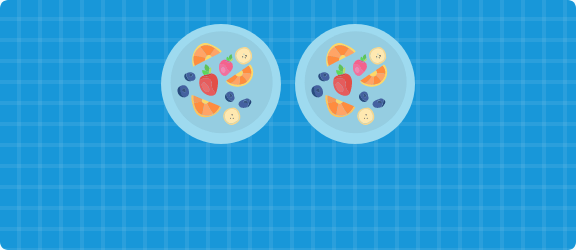
Flexbox
Изменив display на flex гибкий, мы можем легко центрировать содержимое.

Даже для нескольких встроенных элементов центрирование работает без проблем.
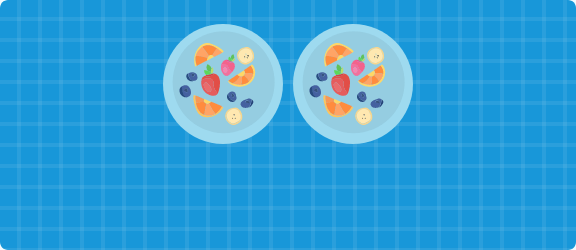
CSS-сетка
С помощью сеточного контейнера тарелка будет центрирована в соответствии с ее областью сетки. Обратите внимание, что это не будет работать с более чем одной тарелкой, если они не будут обернуты в один элемент.

2. Блочные элементы
Auto Margin
Элемент блока с известной шириной и высотой можно центрировать, используя значение auto для левого и правого полей.

Auto Margin
Для нескольких блочных элементов их нужно заключить в элемент, который нужно центрироваться.

Flexbox
Вы можете использовать flexbox для центрирования тарелки.

Также не нужно оборачивать тарелки в контейнер, чтобы выровнять их по центру. Flexbox может это сделать!

CSS позиционирование
Абсолютно позиционируя тарелку, мы можем легко центрировать ее по горизонтали с помощью преобразований CSS.

Если ширина элемента известна, вы можете использовать вместо преобразований CSS отрицательное поле.

Вертикальное выравнивание
1. Встроенные элементы
Вертикальный отступ
Один из самых простых способов центрировать элемент по вертикали — использовать отступы.

Вертикальное выравнивание
Свойство vertical-align можно использовать для одного или нескольких элементов. В этом примере вилка и нож должны быть отцентрованы вертикально относительно тарелки.

Flexbox
Чтобы выровнять тарелку, вилку и нож, мы можем использовать flexbox.

2. Блочные элементы
Абсолютное позиционирование
Абсолютно позиционируя элемент, можно центрировать его по вертикали с помощью преобразований CSS.
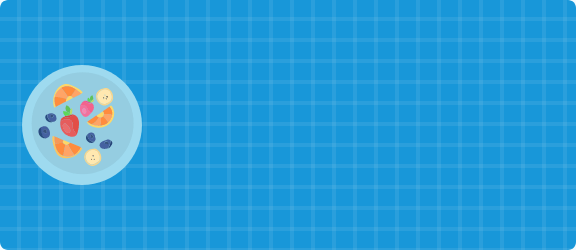
Если высота элемента известна, вы можете использовать отрицательное поле вместо позиционирования.

CSS-сетка
С помощью CSS-сетки мы можем использовать align-items, чтобы центрировать элемент по вертикали относительно его области сетки.
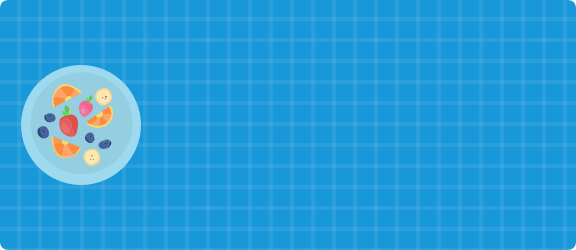
Горизонтальное и вертикальное центрирование
1. Встроенные элементы
Отступы и выравнивание текста
Мы можем комбинировать padding и text-align, чтобы центрировать элемент по горизонтали и вертикали.

2. Другие типы элементов
Абсолютное позиционирование
Абсолютно расположим тарелку слева и справа.

Flexbox
Установив для justify-content и align-items — center, это легко и просто.

CSS-сетка
С помощью свойства place-items.

Автор: Ahmad Shadeed
Профессия Frontend-разработчик PRO
Готовим Frontend-разработчиков с нуля
На курсе вы научитесь создавать интерфейсы веб-сервисов с помощью языков программирования и дополнительных технологий. Сможете разрабатывать планировщики задач, мессенджеры, интернет-магазины…