How to draw vertical and diagonal lines with HTML and CSS

As someone just starting out with HTML and CSS there are a few things (to say the least) that can immediately perplex. For me it was vertical lines. Wanna make a horizontal line? Cool. Throw in an <hr> tag and you're good to go. Wanna make a vertical line? Logic would dictate you throw in a <vr> tag and you're good to go. Wait, no?
Now we have to get a little creative. I'll share three methods for making vertical lines (and diagonal too just for fun ☺).
Rotating a Horizontal line
The first method is to take a horizontal line and use the transform property to rotate it. For a vertical line you would rotate it 90 degrees.
Slightly confusingly, in order to change the height of the line, you'll need to change the width property because after all, this is just a horizontal line turned on it’s side.
The fun thing though, is that you can turn it into a diagonal just by changing the degree of rotation!
To move the line around the page you can add the parameters translateX and translateY to the transform property. This will move the line along the X and Y axis respectively.
A <div> with a width of 1px
The next method is to create a <div> that has the width of 1px (or more depending on how thick you’d like the line). For this method you'll have to specify a class on the <div> so as not to confuse the styling with other <div>s on your page
This may seem a little less intuitive that just rotating a horizontal line, but the benefit is that in order to change the height, you change the height property and don’t have to bend your mind every time you want to modify it a little. Another benefit is that you can make the line as thick as you would like by adjusting the width property.
But don't forget to add a background colour or border-left or border-right colour or you'll be wondering why you can't see the line ;).
The transform property works the same way as in the previous method to make diagonal lines as well.
Border-Left/Right on an existing <div>
One way to make your life a little easier is to use what’s already there. For instance, if you like to put vertical lines between text and you already have some paragraphs floating next to each other, you could just put a border-right property and voila! a vertical line separating the text. This saves you making extra <div>s for each line.
The above code will result in the following vertical lines.
You might be thinking “but I only wanted lines between the text, this method isn't going to work for me”. But wait, there’s more!
By simply adding a <div> around the paragraphs and adding a last:child pseudo selector with no border you’re problems are solved.
Как сделать горизонтальную линию в css

Для формирования горизонтальной линии можно пойти разными путями. Давайте рассмотрим некоторые из них:
Вариант №1. Можно определить обычный div элемент и покрасить у него одну из сторон с помощью свойства border.
Вариант №2. Используем готовый тег который формирует горизонтальную линию — hr.
Вариант №3. С помощью псевдоэлементов :before и :after. Этот вариант немного сложнее, но за то мы обойдемся без правки HTML-кода. Итак, если нам нужно разместить вертикальную или горизонтальную линию сверху или с левой стороны элемента, то нам нужно использовать псевдоэлемент :before. Если же линия должна быть справа или снизу, то мы должны использовать псевдоэлемент :after.
Как сделать линию с помощью HTML и CSS
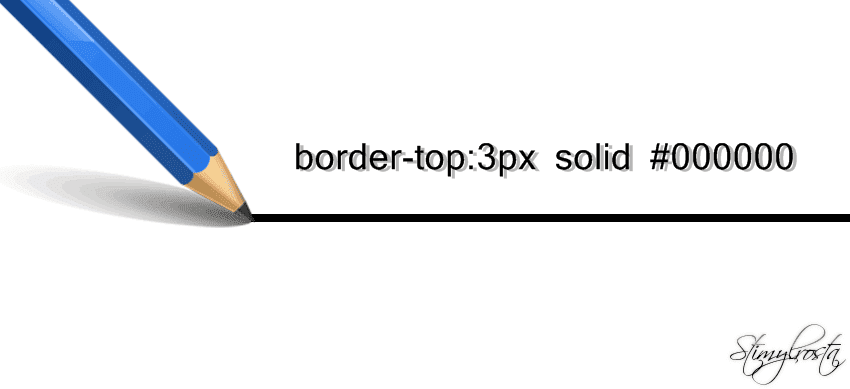
Для подчеркивания некоторых особенно важных элементов сайта, не помешало бы использовать всевозможные и предусмотренные для этого CSS стили и свойства. Конечно же, с текстом можно особо не заморачиваться и выделить его, к примеру, жирным или курсивом, изменить задний фон или сделать рамку вокруг текста. Но не всегда один из представленных способов является подходящим. Допустим, у вас есть текст, который нуждается в разделении из-за специфики его смысловой нагрузки. Вот тут-то и приходят на помощь HTML и СSS свойства.
Как сделать в тексте линию средствами CSS
Для реализации задуманного нам понадобится обратиться к файлу style.css, прописав в нем соответственное свойство border. Тем самым над, под или с определенной стороны текста появится линия. В свою очередь предусмотрено несколько свойств, отвечающих за отображение линии, а именно:
- border-top — горизонтальная линия, расположенная над текстом;
- border-right — вертикальная линия, расположенная справа от текста;
- border-bottom — горизонтальная линия, расположенная под текстом;
- border-left — вертикальная линия находящаяся слева.
Как сделать линию в html
Используя свойства CSS можно прописать все необходимые значения редактируя HTML код. Для этого нужно перейти в административную часть сайта. Выбрать один из опубликованных материалов, переключить текстовый редактор в режим правки HTML кода и внести свойства CSS. Образец можно лицезреть ниже.
Как сделать пунктирную или прямую линию?
Краткая расшифровка команд
- width — длина линии;
- solid — сплошная линия;
- dotted — точечная линия.
Для более глубокого ознакомления со стилями рекомендую почитать эту статью.
Нужно уяснить, что в процессе внесения изменений в код сайта, свойства, определяющие тип линии, ее толщину и цвет перечисляются через пробел.
Приведенный способ имеет несколько достоинств:
- Обширный ассортимент возможностей, с помощью которых можно сделать практически любую линию.
- Легкость внесения всех необходимых изменений непосредственно в HTML код. Это во многом упрощает задачу для неопытных сайтостроителей.
Как сделать прямую горизонтальную линию с помощью тега HTML <hr>
Первое на что хотелось бы обратить ваше внимание, это то, что у данного тега, несмотря на все тонкости и принципы html, нет закрывающегося тега. Он может быть использован в любом месте html кода, между тегами <body> и </body>.
Атрибуты тега <hr>
- width — отвечает за длину линии. Может указываться как в процентах, так и пикселях.
- size — толщина линии. Указывается в пикселях.
- color — определяет цвет линии.
- align — атрибут, отвечающий за выравнивание линии.
К атрибуту align относятся следующие команды:
- right — выравнивание справа;
- left — выравнивание слева;
- center — центральное выравнивание.
Образец html кода с использованием тега <hr>
Надеюсь, у вас все получилось и теперь вы знаете, как сделать линию у себя на сайте. Назревшие вопросы оставляйте в комментариях, и мы обязательно их обсудим.

Обнаружили в тексте грамматическую ошибку? Пожалуйста, сообщите об этом администратору: выделите текст и нажмите сочетание горячих клавиш Ctrl+Enter
How to make a vertical line in HTML
Put a <div> around the markup where you want the line to appear to next, and use CSS to style it:

You can use the horizontal rule tag to create vertical lines.
By using minimal width and large size, horizontal rule becomes a vertical one.
You can use an empty <div> that is styled exactly like you want the line to appear:
HTML:
With exact height (overriding style in-line):
Style the border if you want 3D look:
You can of course also experiment with advanced combinations:
You can also make a vertical line using HTML horizontal line <hr />


There is no vertical equivalent to the <hr> element. However, one approach you may want to try is to use a simple border to the left or right of whatever you are separating:
HTML5 custom elements (or pure CSS)
1. javascript
Register your element.
*The — is mandatory in all custom elements.
2. css
*You might need to fiddle a bit with display:inline-block|inline because inline won’t expand to containing element’s height. Use the margin to center the line within a container.
3. instantiate
*Unfortunately you can’t create custom self-closing tags.
usage

Don’t want to mess with javascript?
Simply apply this CSS class to your designated element.
One other option is to use a 1-pixel image, and set the height — this option would allow you to float it to where you need to be.
Not the most elegant solution though.
You can draw a vertical line by simply using height / width with any html element.
There is a <hr> tag for horizontal line. It can be used with CSS to make horizontal line also:
The width property determines the thickness of the line. The height property determines the length of the line. The background-color property determines the color of the line.

There isn’t any tag to create a vertical line in HTML.
Method: You load a line image. Then you set its style like «height: 100px ; width: 2px»
Method: You can use <td> tags <td style=»border-left: 1px solid red; padding: 5px;»> X </td>

To create a vertical line centered inside a div I think you can use this code. The ‘container’ may well be 100% width, I guess.

Rotate a <hr> 90 degrees:

You can use hr (horizontal line) tag and than rotate it 90 degree with css below

One more approach is possible : Using SVG.
- You can have line of any length and orientation.
- You can specify the width, color easily
- SVG are now supported on most modern browsers. But some old browsers (like IE 8 and older) don’t support it.
I used a combination of the «hr» code suggested, and here’s what my code looks like:
I simply changed the value of the «left» pixel value to position it. (I used the vertical line to line-up content on my webpage, and then I removed it.)
Vertical line right to the div
Vertical line left to the div

Why not use |, which is the html special character for |
If your goal is to put vertical lines in a container to separate side-by-side child elements (column elements), you could consider styling the container like this:
This adds a left border to all child elements starting from the 2nd child. In other words, you get vertical borders between adjacent children.
- > is a child selector. It matches any child of the element(s) specified on the left.
- * is a universal selector. It matches an element of any type.
- :not(:first-child) means it’s not the first child of its parent.
I think this is better than a simple .child-except-first
Whether this is better than using a makeshift vertical rule element (by styling a horizontal rule, etc.) will depend on your use case, but this is an alternative at least.