Free graphic design software
Find everything you need for professional vector illustration, layout, photo editing, typography, and collaboration.
Designed with your productivity in mind, CorelDRAW® Graphics Suite is trusted by millions of graphics pros and design teams around the globe, offering endless creativity with no time wasted.
This fully loaded toolkit for professional vector illustration, layout, photo editing, typography, and collaboration is equal parts creative and efficient: the perfect recipe for delivering breathtaking design projects, quickly.
Try it free for 15 days. No credit card required!
CorelDRAW Graphics Suite
- Design for print or web with a complete toolkit
- Create signage, logos, vehicle wraps, textiles, illustrations & more
- Edit photos, manage fonts, and lay out multi-page designs
- Learn quickly in a user-friendly design environment
Get a full 15-day free trial of the CorelDRAW Graphics Suite subscription, packed with exclusive features and enhancements not otherwise available.
No credit card required.
Graphic design software
Other free design software
What’s new in CorelDRAW Graphics Suite March 2023 Subscriber Update?

ENHANCED! Quality and stability
We’ve made meaningful improvements to product quality based on direct user feedback. Deliver projects faster and with increased confidence in CorelDRAW’s ability to perform. Experience significantly better stability than in previous versions.

NEW! Variable Outline tool
Deliver flawless designs in less time with the new Variable Outline tool, enabling you to interactively adjust the line width along a path’s outline for smooth transitions on seamless curves.

NEW! Cloud template library
Kickstart your design projects quicker with our full collection of 200+ design templates now available in CorelDRAW’s “New from Template” cloud library. Easily search, sort, and download individual templates in the online view and see templates recommended for you. SUBSCRIBER EXCLUSIVE!

NEW! Personalized practice project recommendations
Learn new techniques with practice project recommendations tailored to your skill level and experience. Answer a few questions on startup, and we’ll serve up practice files best suited to the types of projects you create. SUBSCRIBER EXCLUSIVE!
 CorelDRAW

CorelDRAW Graphics Suite 2017 x64 скачать для Windows, размер 1130 МБ
CorelDRAW Graphics Suite X8 Portable скачать для Windows, размер 390 МБ
CorelDraw x7 скачать для Windows, размер 767 МБ
CorelDraw x6 x32 bit (iso) скачать для Windows, размер 687 МБ
CorelDraw x6 x64 bit (iso) скачать для Windows, размер 735 МБ
CorelDRAW 2018 скачать для Windows, размер 1848 МБ
CorelDRAW для Windows
CorelDRAW — графический редактор для профессиональной работы с векторными изображениями. Содержит богатый набор инструментов, позволяющих масштабировать картинки, менять их форму, прозрачность и цвет. Библиотеки с коллекциями готовых объектов, шрифтов и эффектов облегчают создание и редактирование изображений, обеспечивают их красочное оформление.
Существует возможность одновременно видеть и обрабатывать несколько файлов при открытии их в одном окне в виде отдельных вкладок. CorelDRAW представлен пакетом программ, которые можно запускать не все сразу, а по отдельности, тем самым экономить оперативную память и снижать нагрузку на процессор.
Краткий перечень возможностей CorelDRAW
Создание и редактирование рисунков – с использованием простых фигур и линий (замкнутых и разомкнутых, прямых, кривых и ломаных), цветовой палитры и различных инструментов.
Вставка текста — форматированного произвольным образом, с заданием его размера, цвета и конфигурации.
Вставка картинок в готовые документы — созданных ранее в самом редакторе или сторонних программах.
Работа со скриншотами — захват изображений с экрана, с возможностью их редактировать и вставлять в файлы.
Импортирование файлов любого формата — содержащие как векторные, так и растровые изображения.
Экспортирование файлов из формата cdr в другие графические форматы — с сохранением четкости линий и цветовой палитры.
Загрузка фотографий с цифровых камер — с использованием специального интерфейса.
Настройка меню и панели инструментов — в соответствии с предпочтениями конкретного пользователя.
CorelDRAW Graphics Suite для Windows
Скачайте CorelDRAW Graphics Suite на русском языке бесплатно для Windows
CorelDRAW Graphics Suite (Корел Дро) – один из самых популярных инструментов в графическом дизайне. Программа принадлежит канадской компании Corel, которая смогла разработать первое приложение для создания полиграфических макетов и полноцветной векторной графики. CorelDRAW позиционируется как универсальный графический пакет, в котором представлены все необходимые функции для работы с векторными изображениями, создания макетов страниц, обработки фотографий.
Возможности программы CorelDRAW
CorelDRAW – лучший инструмент для работы с векторными рисунками. Инструментальная палитра обеспечивает максимальные возможности для дизайнеров, художников, декораторов, вебмастеров, архитекторов и конструкторов.
Основные возможности CorelDRAW:
Для быстрого освоения CorelDRAW разработчики предлагают встроенные обучающие инструменты, высококачественный контент и регулярные обзоры новых функций программы.
Релизы CorelDRAW
Первый релиз – CorelDRAW 1 – вышел в 1989 году и стал революционным инструментом в сегменте графического дизайна. Первая версия для работы в среде Windows — CorelDRAW 3, выпущенный в 1992 году. Одним из важных этапов развития приложения стал выпуск в 2010 году версии Graphics Suite X5, которая позволила значительно увеличить скорость работы за счет более удобной организации рабочего процесса. Позднее в программу был встроен мощный типографский модуль, мультидисплейный режим просмотра, предоставлены возможности интеграции с мобильными устройствами.
Последняя версия — Graphics Suite 2017 – поддерживает подключение устройств сенсорного или перьевого ввода, мониторы типа Ultra HD 5K и технологии Microsoft Surface Dial. В программе появился новый инструмент LiveSketch и расширенные возможности управления и фильтрации шрифтов.
CorelDRAW
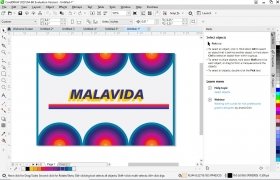
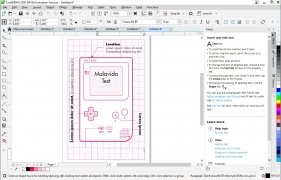
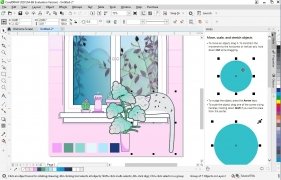
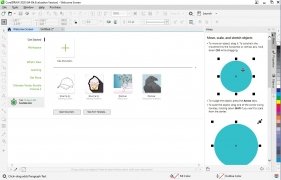
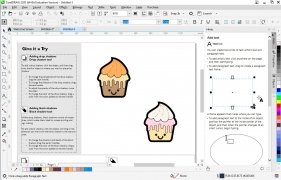
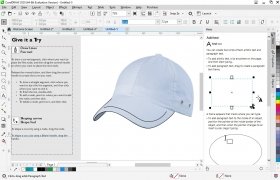
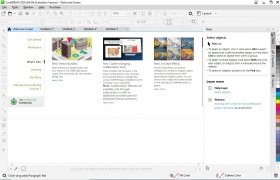
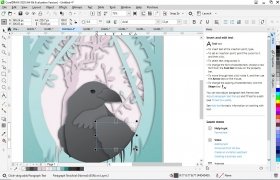
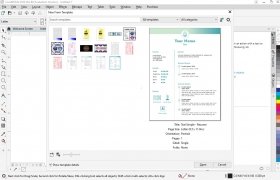
If you’re looking for a vector design tool, with which you can design graphics and websites, as well as being able to edit photos, design page layouts and draw, and you’re not too happy with the results offered by Adobe Illustrator, you’ve got to try out CorelDRAW Graphics Suite X8 and if your download CorelDRAW for PC you will have access to its star product that gives its name to this set of applications.
A great alternative to Adobe Illustrator and Inkscape.
It’s an ideal tool for both beginners and graphical design professionals, as anyone can acquire the basic concepts necessary to handle this software by means of the walkthroughs and tutorials available, to soon become an expert creating logos, brochures, web charts, signs, labels, adverts or any other project that requires advanced graphical design knowledge.
Main features
Once you download CorelDRAW for PC you can make use of the following features:
- Computer application for vector graphic design and photo editing.
- Simple design of web pages compatible with CSS3 and HTML5 functions.
- Hundreds of templates available with which you can start shaping up any design.
- Thousands of clipart images without copyrights that can be used in the designs.
- New compatibility with several monitors and UltraHD 4K screens.
- Improved Pencil function to work with graphical tablets efficiently.
- Easily manage complex projects by means of the new Show and Hide Objects function.
- New Corel Font Manager to manage fonts, allowing you to search and filter them easily.
- Knife tool to divide any object, vector, text or bitmap along straight lines.
- New Border and Grommet function to create web adverts.
- Correct perspective distortions on photos with straight lines and flat surfaces thanks to the Straighten Image tool.
- Healing Clone tool to remove imperfections from photos and images mixing them with adjacent colors and textures.
- Compatible with over 100 different formats, including AI, PSD, PDF, JPG, PNG, SVG, DWG, DXF, EPS, TIFF, DOCX and PPT.
- Possibility to customize the workspace and even modify the size of the icons that grant access to different functions.
CorelDraw vs Photoshop. Which one’s better?
Before doing this comparison we have to take into account that these two programs aren’t equivalent. While Corel’s software is a vector graphic design tool, Adobe’s product is an image editor that includes photo enhancement functions. It’s possible to carry out common actions on both programs, but they aren’t really comparable. In any case, Photoshop would be equivalent to Corel PHOTO-PAINT.
The fairest comparison would be to put CorelDRAW up against Adobe Illustrator, the vector design program included in Creative Cloud. In this case, Illustrator may be slightly more appropriate for design professionals with advanced knowledge, while this software is suitable for beginners as well, despite offering some rather overwhelming functions.
Other tools included in this graphics suite
Graphics Suite doesn’t only include the program that gives its name to this pack of graphics tools, but also other components that are equally interesting:
- Corel PHOTO-PAINT: the equivalent to Photoshop with which you can edit photos and work on bitmap images.
- Corel CAPTURE: an advanced screenshot tool with which you can manage all your screen captures.
- Corel CONNECT: a content manager and search tool to quickly find resources both locally and on the web.
- Corel Font Manager: the new font manager with which you can satisfy all your needs regarding types of fonts.
What’s new in the latest version?
- Faster photo editing with the new stackable non-destructive adjustment presets.
- New personalized learning content in the new learn docker.
- New enriched functions based on direct customer suggestions, from the multipage view that helps to save time and the page improvements to the improvements to image editing and exporting.
Requirements and additional information:
- It’s necessary to create a user account to test the material.
- The trial period lasts for 15 days.
 Elies Guzmán
With a degree in History, and later, in Documentation, I have over a decade of experience testing and writing about apps: reviews, guides, articles, news, tricks, and more. They have been countless, especially on Android, an operating system.