W3.CSS Containers
The W3.CSS w3-container class is the perfect CSS class for HTML containers. It can be used to display all kinds of headers, footers, articles, sections, alerts, notes, panels, or quotes.
It only depends on what colors you choose .
Example
To add a color, just add a w3-color class:
Example
Displaying Panels and Notes
Notes are often displayed with a pale color and a colored bar:
London is the capital city of England. It is the most populous city in the United Kingdom, with a metropolitan area of over 13 million inhabitants.
London is the capital city of England. It is the most populous city in the United Kingdom, with a metropolitan area of over 13 million inhabitants.
Example
Panels can be displayed in a million different ways:
London is the capital city of England. It is the most populous city in the United Kingdom, with a metropolitan area of over 13 million inhabitants.
London is the capital city of England. It is the most populous city in the United Kingdom, with a metropolitan area of over 13 million inhabitants.
London is the capital city of England. It is the most populous city in the United Kingdom, with a metropolitan area of over 13 million inhabitants.
London is the capital city of England. It is the most populous city in the United Kingdom, with a metropolitan area of over 13 million inhabitants.
London is the capital city of England. It is the most populous city in the United Kingdom, with a metropolitan area of over 13 million inhabitants.
London is the capital city of England. It is the most populous city in the United Kingdom, with a metropolitan area of over 13 million inhabitants.
London is the capital city of England. It is the most populous city in the United Kingdom, with a metropolitan area of over 13 million inhabitants.
Example
Displaying Quotes
The w3-container class can be use to display quotes.
«Make it as simple as possible, but not simpler.»
«Make it as simple as possible, but not simpler.»
«Make it as simple as possible, but not simpler.»
Example
If you use HTML <blockquote>, remember that HTML will add an extra left margin:
«Make it as simple as possible, but not simpler.»
Albert Einstein
Example
Headers and Footers
To style a header, use the w3-container class:
Heading 1
Example
To style a footer, use the w3-container class:
Footer
Footer information goes here
Example
Articles and Sections
In HTML, <article> and <section> elements are often styled just like <div> elements.
To style an article, use the w3-container class:
Example
Padding
The w3-container class has padding of 1px (top and bottom), and 16px (left and right).
If you want to change the padding for a container, you can use a w3-padding class:
Example
<p>London is the capital city of England.
It is the most populous city in the United Kingdom,
with a metropolitan area of over 13 million inhabitants.</p>
HTML div class container
A container is a <div> element with a The container will affect all elements inside within the <div> container.
Div class «container» hasn’t a special meaning but container is just a well chosen name. You can replace with any other name if we don’t talk about Bootstrap. In CSS Bootstrap is already implemented.
Syntax:
HTML class container, fluid, center, color,
<div /> Div is a tag.
Class is an attribute of div tag
Container is a class name
In the next example we show you HTML div class container, fluid, center, color templates.
.container <
width: 100%; /* this make container fluid*/
height: auto;
background-color: #FFC; /* this make content background-color*/
margin-right: auto; /* this make content center*/
margin-left: auto; /* this make content center*/
>
Tags: class container html, fluid, center, color, vs container fluid, in angular, in java, row, width, center, class container fluid html, make, height html class container, -fluid, row, width, center, size, html div container-fluid, html element
How to make class container width, center
Is — container — for div class a special elemnt or special meaning? Simple — You could call it main-box or big-frame how you like, but if you see the word container on your HTML code, you know it is to contain something, and give it a good position on the HTML code.
You can replace CSS container 75% width ( % give you fluid content) with 990px (but 990px give you fix content).
Tags: free download form, code, with css, with validation, html form checkbox label, group, checked, array, required, value, post, true false, limit, list, multiple values
Tags: class container html, fluid, center, color, vs container fluid, in angular, in java, row, width, center, class container fluid html, make, height html class container, -fluid, row, width, center, size, html div container-fluid, html element
HTML div class container — html tutorial

This tool makes it easy to create, adjust, and experiment with custom colors for the web.
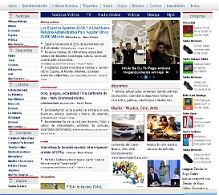
Magnews2 is a modern and creative free magazine and news website template that will help you kick off your online project in style.
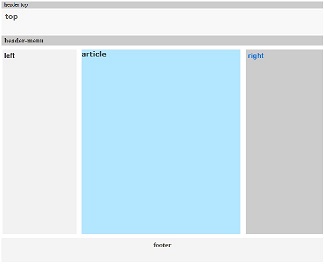
Find here examples of creative and unique website layouts.
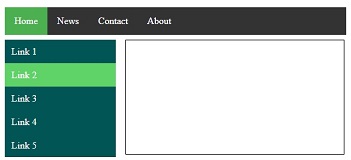
Find here examples of creative and unique website CSS HTML menu.
This tool makes it easy to create, adjust, and experiment with custom colors for the web.
Magnews2 is a modern and creative free magazine and news website template that will help you kick off your online project in style.
Find here examples of creative and unique website layouts.
Find here examples of creative and unique website CSS HTML menu.
W3.CSS Containers
This article is light grey and the text is brown. This article is light grey and the text is brown. This article is light grey and the text is brown. This article is light grey and the text is brown. This article is light grey and the text is brown.
This is my Footer
The Container Class
The w3-container class adds a 16px left and right padding to any HTML element.
The w3-container class is the perfect class to use for all HTML container elements like:
Containers Provides Equality
The w3-container provides equality for all HTML container elements:
- Common margins
- Common paddings
- Common alignments
- Common fonts
- Common colors
To use a container, just add a w3-container class to any element:
Example
To add a color, just add a w3-color class:
Example
Headers and Footers
The w3-container class can be used to style headers:
Header
Example
Example
There is no difference in the way W3.CSS treats <div> and <header> elements.
The w3-container class can be used to style footers:
Footer
Footer information goes here
Example
Example
Many web pages use <div> elements instead of <header> and <footer> elements.
Articles and Sections
The w3-container class can be used to style <article> and <section> elements:
Example
<div >
<h2>London</h2>
<p>London is the most populous city in the United Kingdom,
with a metropolitan area of over 9 million inhabitants.</p>
</div>
<article >
<h2>Paris</h2>
<p>The Paris area is one of the largest population centers in Europe,
with more than 2 million inhabitants.</p>
</article>
<section class=»w3-container»>
<h2>Tokyo</h2>
<p>Tokyo is the center of the Greater Tokyo Area,
and the most populous metropolitan area in the world.</p>
</section>
Many web pages uses <div> elements instead of <article> and <section> elements.
Web Page Example
Header
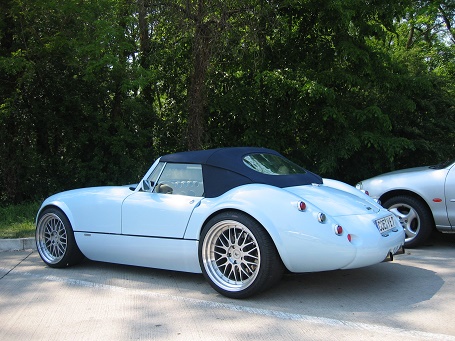
A car is a wheeled, self-powered motor vehicle used for transportation. Most definitions of the term specify that cars are designed to run primarily on roads. (Wikipedia)
Footer
Example using HTML <div> elements
<img src=»https://www.w3schools.com/w3css/img_car.jpg» alt=»Car» style=»width:100%»>
<div class=»w3-container»>
<p>A car is a wheeled, self-powered motor vehicle used for transportation. Most definitions of the term specify that cars are designed to run primarily on roads. (Wikipedia)</p>
</div>
Example using HTML semantic elements
<img src=»https://www.w3schools.com/w3css/img_car.jpg» alt=»Car» style=»width:100%»>
<article class=»w3-container»>
<p>A car is a wheeled, self-powered motor vehicle used for transportation. Most definitions of the term specify that cars are designed to run primarily on roads. (Wikipedia)</p>
</article>
Container Padding
The w3-container class has a default 16px left and right padding, and no top or bottom padding:
Example
Normally you will not have to change the default padding of a container, because paragraphs and heading provide margins that will simulate padding.
W3.CSS Containers
The w3-container class is the most important of the W3.CSS classes.
The w3-container class is used for all types of HTML container elements like:
This Header is Green.
This footer is red.
This article is light grey and the text is brown.
Containers Provides Equality
The w3-container class is important for providing equality:
- Common margins
- Common paddings
- Common vertical alignments
- Common horizontal alignments
- Common fonts
- Common colors
Example
To add a color, just add a w3-color class:
Example
Headers and Footers
The w3-container class can be used to style a header:
Heading 1
Example
The w3-container class can be used to style a footer:
Footer
Footer information goes here
Example
Articles and Sections
The w3-container class can be used to style <article> and <section> elements:
Example
<article >
<h1>London</h1>
<p>London is the most populous city in the United Kingdom,
with a metropolitan area of over 13 million inhabitants.</p>
</article>
<section >
<h1>London</h1>
<p>London is the most populous city in the United Kingdom,
with a metropolitan area of over 13 million inhabitants.</p>
</section>
<div >
<h1>London</h1>
<p>London is the most populous city in the United Kingdom,
with a metropolitan area of over 13 million inhabitants.</p>
</div>
Many web pages uses <div> elements instead of <article> and <section> elements.
Notes, Panels, and Quotes
The w3-container class can be use to display all kinds of notes:
London is the capital city of England. It is the most populous city in the United Kingdom, with a metropolitan area of over 13 million inhabitants.
Example
The w3-container class can be use to display all kinds of panels:
London is the capital city of England. It is the most populous city in the United Kingdom, with a metropolitan area of over 13 million inhabitants.
London is the capital city of England. It is the most populous city in the United Kingdom, with a metropolitan area of over 13 million inhabitants.
Example
The w3-container class can be use to display all kinds of quotes:
«Make it as simple as possible, but not simpler.»
Example
Go to the chapter W3.CSS Borders to learn more about displaying notes, panels, and quotes.
Combinations
Header
A car is a wheeled, self-powered motor vehicle used for transportation. Most definitions of the term specify that cars are designed to run primarily on roads. (Wikipedia)
Footer
Example using HTML <div> elements
<img src=»https://www.w3bai.com/en-us/w3css/img_car.jpg» alt=»Car» style=»width:100%»>
<div class=»w3-container»>
<p>A car is a wheeled, self-powered motor vehicle used for transportation.
Most definitions of the term specify that cars are designed to run primarily on roads. (Wikipedia)</p>
</div>
Example using HTML semantic elements
<img src=»https://www.w3bai.com/en-us/w3css/img_car.jpg» alt=»Car» style=»width:100%»>
<article class=»w3-container»>
<p>A car is a wheeled, self-powered motor vehicle used for transportation.
Most definitions of the term specify that cars are designed to run primarily on roads. (Wikipedia)</p>
</article>
Container Padding
The w3-container class has a default 16px left and right padding, and no top or bottom padding:
Example
Normally you will not have to change the default padding of a container, because paragraphs and heading provide margins that will simulate padding.
I am Heading 1
I am a paragraph.
Example
Container Sectioning
The w3-container class has no default top or bottom margin.
Two containers will display wothout a margin between them:
I am Heading 1
I am a paragraph.
I am Heading 1
I am a paragraph.
The w3-section class can be used to separate containers. It has 16px top and bottom margin: