How To Fix Nitro Sense Won’t Open or Work
NitroSense is a fundamental application in laptops of this brand since Acer Nitro 5 specified that it works with this program but many do not know what it is for or how to use NitroSense in the notebook.
What is Nitro Sense?
The integrated Acer NitroSense software allows users to regulate the intensity of the two dedicated fans built into Nitro 5 computers, one for the processor (CPU) and one for the video card (GPU).
The Nitro 5 has become one of the most emblematic teams in the Acer portfolio. The reason is simple: it is the best option for those gamers who want a powerful device, with exclusive functions, at a great price.
It is not strange that it appears in the list of best sellers on Amazon or that the company exhibits it as one of its great bets.
Acer Nitro 5 is a Gaming laptop that comes with very good features, including a dedicated graphics card that works quite well when required, however, this considerably increases the temperature where NitroSense plays a fundamental role in the Nitro 5.
For a gamer, Acer’s Nitro Sense makes a difference. Once in the final moments of the battle, Acer’s NitroSense tool allows for monitoring of processor (CPU) and graphics card (GPU) temperatures. It allows the adjustment of cooling fan speeds via Acer CoolBoost to keep them running optimally and getting maximum performance.
Why won’t NitroSense open on my PC?
Although this application is very useful, especially if we are playing or running very heavy applications since with it we can control the temperature of the PC.
So NitroSense allows you to increase the speed and RPM of the fans to be able to quickly lower the temperature of the PC by utilizing fan control software. In general, it is used a lot under these conditions.
But a few days ago, many reported to us that from one moment to another the Acer Nitro 5 NitroSense application does not open or does not work on the PC, which can cause serious problems if we do not take it into account, especially if we run games that require a lot of processor and graphics.
What NitroSense does in itself is to control the fan speed settings of the Graphics and CPU helping to lower the temperatures of both components, where if it does not work we must do the following.
Enter the Control Panel of your PC and then select Uninstall a program, where you will find the entire list of programs installed on your Nitro 5 where you only have to search for the NitroSense Service app and select Uninstall.
Once you uninstall NitroSense from your PC, you will only have to restart it and later when it turns on you will have to Download NitroSense in its most current version which you will find in the previous link, since this problem has started after it was no longer compatible due to an update of Windows, which we can solve by hitting the update button to install the latest version.
NitroSense won’t open or work
Carrying out all the previous steps we will not have any problem to be able to open NitroSense again on the Nitro 5 laptop, since this program is generally affected by a Windows update which damages it and stops working, it is only necessary to completely uninstall this application from Add/Remove Programs.
In any case, another of the solutions for NitroSense that does not open or does not work on the PC is to use the Acer Care Center application, this helps to detect problems and if there are updates, it installs them immediately, which is a fairly good alternative. good to the problem of this application.
In any case, what to do if NitroSense does not open?
- Uninstalling the NitroSense specialized software. In Start / Settings Menu / Applications.
- Download the package from Microsoft. …
- Reboot and install the package. …
- Install NitroSense .
Is NitroSense not running on Acer AN515 Laptop? This can be a frustrating issue, so let’s look at the solution.
Surely if you are here it is because you have recently purchased an Acer AN515-43 laptop or Acer Nitro 5 AN515-52 laptop or any other Nitro branded laptop from a laptop vendor On the contrary, you already had it and you have decided to format and reinstall Windows 10.
This is when the surprise comes. Oh! The NitroSense app is no longer running even when putting in an older version.
Well don’t panic, here we tell you how to correct this problem that Nitrosense does not open or does not work since it is one of the Acer utilities that allows you to control Fans, the RGB of the keyboard, among other functions.
NitroSense won’t run
It allows the monitoring of the temperature of the processor (CPU) and the graphics card (GPU) and the adjustment of the fan driver speeds of the cooling fans through Acer CoolBoost to keep them in optimal operation.
If you like to play, it allows you to configure several profiles depending on the temperature reached.
We can download it from the official Acer website in the support section. Just select your type of equipment in the category, the series to which it belongs, and finally the model to be able to download it.
- The first thing you should do is uninstall the app.
- Uninstalling the NitroSense software
- In Start / Settings / Applications
- We look for the application and click on uninstall everything that has to do with NitroSense.
- Download Microsoft Package
- Now we go to the Microsoft page and download the 64-bit package (in my case due to the type of operating system).
Reboot and package installation
- Hit the power button and restart your computer and install the package we downloaded.
- Install NitroSense and follow the on-screen instructions.
- We proceed to install the latest version of the Nitro Sense App that our team supports.
Performing these steps should already open the program, even when pressing the Button on the keyboard.
Final Words
There you go! It is just a matter of following these simple troubleshooting steps that we can customize our laptop and configure the fans so that it has optimal cooling while we are playing. If with all this you cannot solve the error, you can always request our services and we will take care of correcting the problem.
Patrick Johnson is a tech enthusiast & blogger; currently living in Florida, United States. He loves to write about Laptop Tips, Guides, configurations, features, and Accessories. Quora & Reddit are the popular two places where you will also find him. No matter what questions you have in your mind regarding the laptop, he may already have the answer.
Почему не запускается nitro sense на acer nitro 5
Сообщение отредактировал Woertz — 05.05.23, 05:59
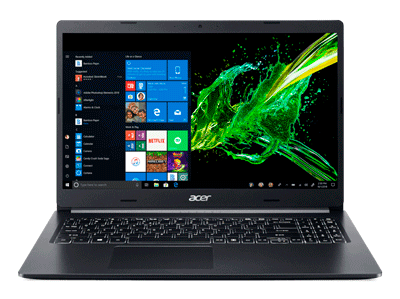
acer nitro 5 an515-31-524g. Купил такой в подарок. Хочу узнать можно ли в него добавить ОЗУ (какое там идет и какое можно поставить?) и добавить SDD на 120 гигов (какой?)? Как переставить систему на твердотельный диск и не потерять гарантию? Спасибо.
Сообщение отредактировал doctorhorror — 11.11.18, 18:20
для примера в моей конфиге i7 8750h + 1050ti самое жаркое что видел это в batlefield 5 доходит аж под 90 гр но это моментами а так примерно под 85 гр , в других играх 75-80 это проц, видюха на 3-5 гр холодней, в моем система охлаждения на двух теплотрубках а у 1060 на трех , думаю что темпер примерно такой же будет мож на 2-3 гр жарче
Сообщение отредактировал oleg67sml — 20.12.18, 01:34
Прошу отпишитесь!
Друзья после замены материнской платы получил ноут небольшой писк в районе куллеров все равно есть, кто уже понял что это ? И что делать с этим?
Какая у вас температура диода pch? После замены материнки цп 51-55 диод 66-68. Стал тротлить писец. Аида все галки до ремонта на Макс куллерах было до 80градусов и не тротлил. Только как авто или мин. обороты то тротлил, потом макс. Включал тротлинг пропадал. Теперь после ремонта тротлит до 17% и темп. 87-92 на макс оборотах. До сервиса изношенность аккумы была 4 % а после СЦ уже 5.7% что делать, менять на новый отказались. Как у вас с этим?
После перезагрузки степень изношенности АКБ 6.8% это что вообще значит?
Не запускается Nitro Sense
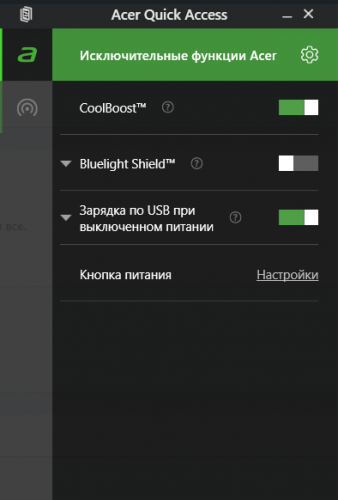
Я решил переустановить Nitro Sense, т.к. он не запускался, до этого я пробывал в редактор реестра поменять значение с 3 на 4, но это не помогло по этому я решил его переустановить но и это не помогло что мне делать .
Скорее всего глюк винды, удали его полностью, скачай с сайта версию которая там и переустанови
Задайте свой вопрос по компьютерам
профессионалам
Другие вопросы на эту тему:
Полетел ноутбук после отката
Дела такие: включаю ноут, обнаруживаю что Клава не работает, хотя в биосе все норм. думал что дрова, обновил все дрова какие можно было обновить, но не помогло. решил откатить на начало, около часа откатывался и ближе к финишу выставил ошибку отката. (мол перезагрузить систему и попробуйте откатить заново) только вот при перезагрузке он думает что происходит откат и выдаёт одну и ту же ошибку.
пробовал переустановить через флешку-не видит usb…
После сна ноутбук тормозит
Здравствуйте , недавно появилась такая проблема . После долгого нахождения ноута в режиме сна , комп начинает лагать и тормозить . К этому добавляется нагруженный процессор при условии что все приложения и вкладки закрыты , ещё пропадает панель ‘Спящий режим’ . Помогает только перезагрузка. В чем может заключаться проблема?

Проблемы с драйверами видеокарты
Добрый день. Во время игры встала картинка и появились ярко-зелёные полосы на экране. Произведена была перезагрузка через кнопку перезагрузки. Драйвера слетели. Огромные ярлыки на весь экран. Перестановка драйверов и системы не помогла. Перестановка старой версии драйверов тоже. Чистка реестра и чистка видеокарта тоже не помогла. Ничего не могу сделать. Как решить проблему, без покупки и ремонта?
Не выводит изображение на монитор
При нормальном запуске пк у него несколько секунд шумит процессор и потом все нормализуется, сейчас я запускаю пк, не выводит изображение на монитор и постоянно шумит процессор, пытался поменять термопасту в процессоре не помогло, пожалуйста прошу помочь, могу сделать фото если нужно.
Проблема с драйвером
Появились проблемы после обновления драйверов. Драйвер сетевого подключения перестал исправно работать. После некоторых проб установить другие сетевые драйвера ноутбук стал возращать старые и драйвер так же неисправно работает я решил вернуть ноутбук к заводским настройкам но это тоже не помогло не знаю что делать
Почему не запускается nitro sense на acer nitro 5
Reddit and its partners use cookies and similar technologies to provide you with a better experience.
By accepting all cookies, you agree to our use of cookies to deliver and maintain our services and site, improve the quality of Reddit, personalize Reddit content and advertising, and measure the effectiveness of advertising.
By rejecting non-essential cookies, Reddit may still use certain cookies to ensure the proper functionality of our platform.
For more information, please see our Cookie Notice and our Privacy Policy .