Random Sentence Generator — Javascript Tutorial
Sometimes it is usefull to have an area on your website, where there are a few linked sentences, which are randomly choosen from a stock of sentences. Typical examples of use could be a glossary or advertising slogans. For this purpose I created a small javascript code-snippet for a random sentence generator, with which you can realize this easily.
The first thing you need to do is to create an array. To make it easy in the beginning, we will just assign plain text values in the array, without linking them or adding any further HTML-code. so let us start.
An array for our random sentence generator
This is an example of an array of six random sentences. Between the apostrophes you can enter your text, without any limitations in content or the number of values. Later on we will include HTML-tags into our sentences. But let us first code the heart of this little javascript widget: the loop of the random sentence generator:
The for-loop is the heart of it
Here is how it is working: The for-loop is choosing, how many random sentences are shown at a time. In this example we have got two sentences. so the loop iterates two times. In the loops body we are generating a random number and multiplicating this number with the amount of variables we have in the array. With this little magic and the statement to create an integer value with ‚Math.floor‘, we are getting a value for the y, which is representing one of our array-values. In the next step we are saving the HTML elements‘ ID, where we want to let our random sentences appear on our website, in a variable. In this example we choose the element with the ID ‚box3‘. Finally we just replace the content of this element with our content we have got from the randomly chosen sentence. To avoid getting repetitions, we just need to delete the randomly chosen value of our array. And that is already it!
Adding some HTML
Let us now include some fancy HTML functionality to our random sentence generator. This is not complicated at all. The innerHTML functionality of javascript allows us, to include HTML-tags into our quotes. We can, for example, easily link our sentences to other destinations. Here is some code to make things clearer:
Here I just included the usual a-tag into my array-values. If you want to style every random sentence separatly with CSS you can as well add id’s and classes this way. To include HTML for all sentences, you do not need to change every single varibale, but may add the HTML to the loop. Here is the code:
Here I just added the break-tag to the loop. If you want, you can add any further HTML-code to the array-values and complete the code in the loop. If you want to give the link-tag a description, the same for every sentence, then you can do the following:
It is impottant to add a white space after ‘Klick mich’, that concatination properly workds. In the values of the array you can now add the different link-destinations like this:
As you can see, the values of the array and the innerHTML just got concatinated here. This gives you millions of possibilities, so this javascript random sentence generator is very flexible and can easily adapt to your needs.
I hope you enjoyed this little javascript tutorial. For a more fundamental introduction for javascript i can advise you the tut’s from the codeacademy. We are looking forward for your comments.
How to pick random words in html
So, im completely new to programming. All i know is extremely basic stuff like hello world. Basically, what i want to do is I want be able to pick random words out of a list. I’m not really sure how to do this. Im definitely not asking anyone to write the whole thing for me, I just need a starting point. Right now I’m pretty lost. Thanks in advance.
2 Answers 2
It does depend on how the list is "made".
If the list can be made by the programmer (thus static and not be altered by the user), you could do the following (copy and paste this into a .html file):
Do note, this uses JavaScript as well! Most responsive websites are driven by it nowadays.
Javascript is the part between the script tags. For you to customize, change the items in const myList, between the [ . ]. Make sure the [ . ] stay and seperate items with a comma. Also, if you are to use words, make sure to quote them (making them strings), like I did.
By the way, most people don’t mind to get their hands dirty and providing you with an example (‘write the whole thing’).
Рандомный текст при заходе на страницу?

А это результат:

batalek, у вас jquery подключен? $(‘div’).text(elem); — это значит, что в div будет записано сообщение, он у вас создан? Задайте класс div, например
<div ></div>
и тогда код будет следующим:
Random Quote Generator Using HTML, CSS, and JavaScript
In this article, you will learn how to build a Random Quote Generator using HTML, CSS, JavaScript, and API. This application fetches a new random quote from an API, upon the click of a button, and displays it in the browser. Here’s a screenshot of what the finished application looks like: 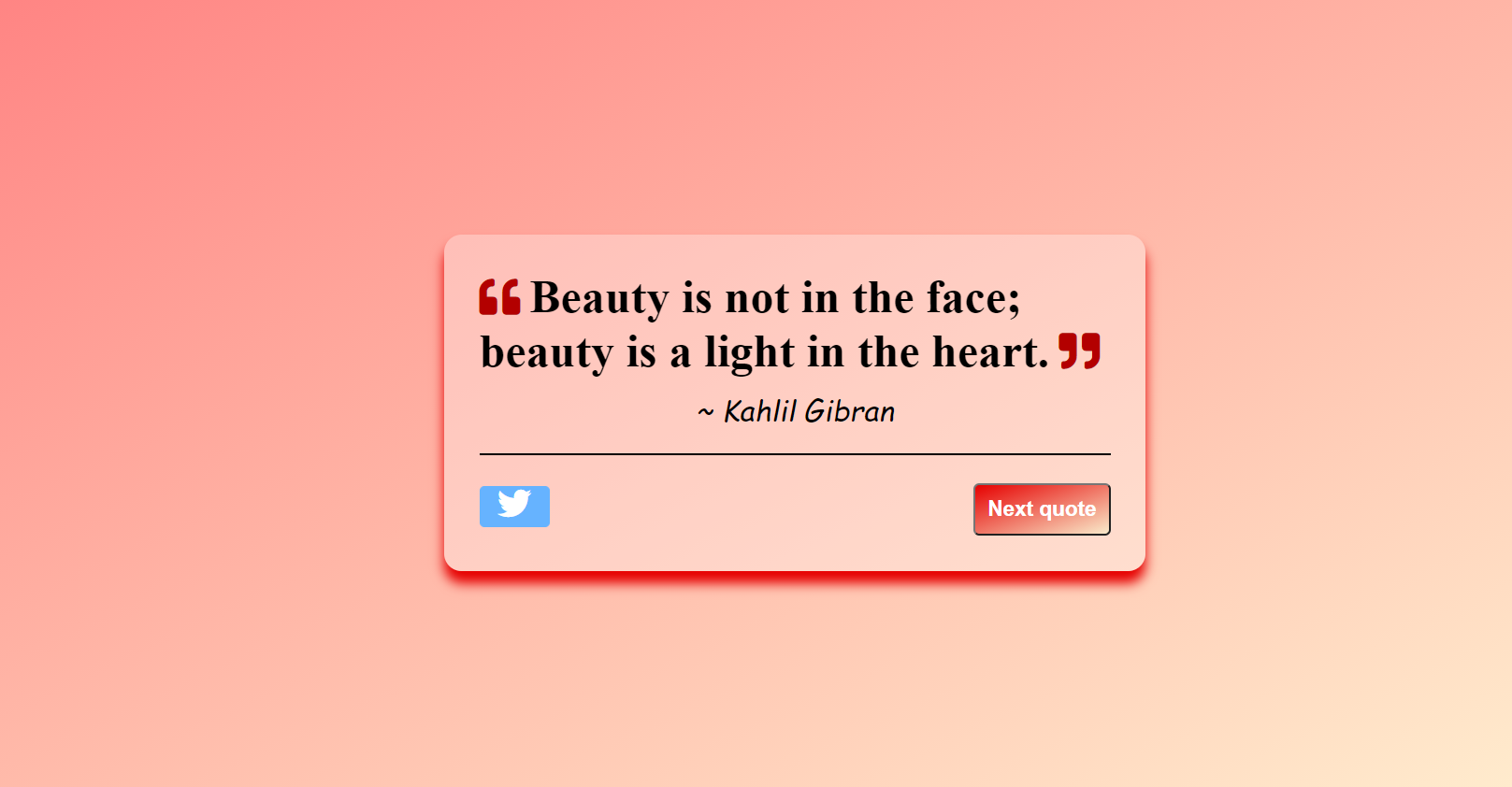
Let’s get started
Prerequisite
- Basic knowledge of HTML
- Basic knowledge of CSS
- Basic knowledge of JavaScript
It’s Time to Code!
Our Random quote generator project contains three parts: HTML, CSS, and JavaScript. So first you need to create three files, the first one is HTML File(index.html), the second one is CSS file(style.css) and the third one is JS file(index.js).
HTML Part
Open your index.html file and type the following code inside it.
Exit fullscreen mode
CSS Part
Exit fullscreen mode
JavaScript Part
Now here comes the main and last part of our random quote generator app. The entire code for the working of the app is written within the getNewQuote() function. In this function, we will fetch the data from the API. Since fetching the data from API is an asynchronous process so we will use the async function to fetch the data and store it in the array.
Learn more about JavaScript async function here.
Let’s discuss everything step by step:-
Step 1:— Create a function getNewQuote().
Exit fullscreen mode
Step 2:- Store the API in an url variable and fetch the data from it using fetch() method. Now the fetch() method returns a promise, to handle it we use await keyword. Whenever the promise gets resolved save the data in the response variable.
Exit fullscreen mode
Step 3:- Convert the response to JSON format and it also returns a promise so again we need to add await keyword to handle the promise and whenever the promise gets resolved we will save the data in the allQuotes array.
Exit fullscreen mode
Step 4:- JavaScript has useful built-in functions: Math.floor() and Math.random(). We will use Math.random() method to generate a number between 0 and a total number of quotes fetched from the API(length of allQuotes array) and Math.floor() method to rounds a number DOWNWARDS to the nearest integer. Now, with the help of this number, we will be able to access a single object from an array.
Exit fullscreen mode
Step 5:- Each element stored in the array is an object which has the property text and author. Store the quote present at the randomly generated index and also store the author of the respective quote.
Exit fullscreen mode
Step 6:- Making the author anonymous if no author is present and once the values are ready, let’s display it in the HTML elements which we made before. This is done by obtaining them using the document.getElementById method and insert the values inside it using the innerHTML property.
Exit fullscreen mode
Step 7:- Add some attribute to the Twitter button to tweet the quote with the following code:
Exit fullscreen mode
Step 8:- Call the function getNewQuote() at the end to start function at exact reloading of the page.
Exit fullscreen mode
Complete javascript code
Exit fullscreen mode
You have just created a random quote generator. It will look something like this!
- Live Demo
- You can find the code at my GitHub Repository
If you enjoyed learning and find it useful please do like and share so that, it reaches others as well ��